


 home
home contact
 site map
 my account


Work Break Down Structure rules! (WBS rules!) What a great method of project management! Many project managers prefer using this method to plan and execute project tasks and activities. It allows creating a decomposition of work and developing a project tree structure. WBS rules are used to create project plans, schedules, todo lists, resource calendars, etc.
There are several myths surrounding WBS rules. Here are these myths:
- WBS vs Project Plan – WBS is the foundation for developing a project plan. It shows work packages (sets of individual activities) to be completed to deliver the project. WBS cannot be compared to a project plan but it can be used for developing this plan.
- WBS vs Schedule – WBS helps create a composition of tasks and individual activities and then use this composition to set timeframes and durations. Development of project schedules is entirely based on using WBS components, so the comparison "WBS vs Schedule" is incorrect.
- WBS vs Gantt Chart – Charts and diagrams help represent projects in a graph view. WBS items can be used to represent project tasks and activities in Gantt Chart. The comparison "WBS vs Gantt Chart" is incorrect.
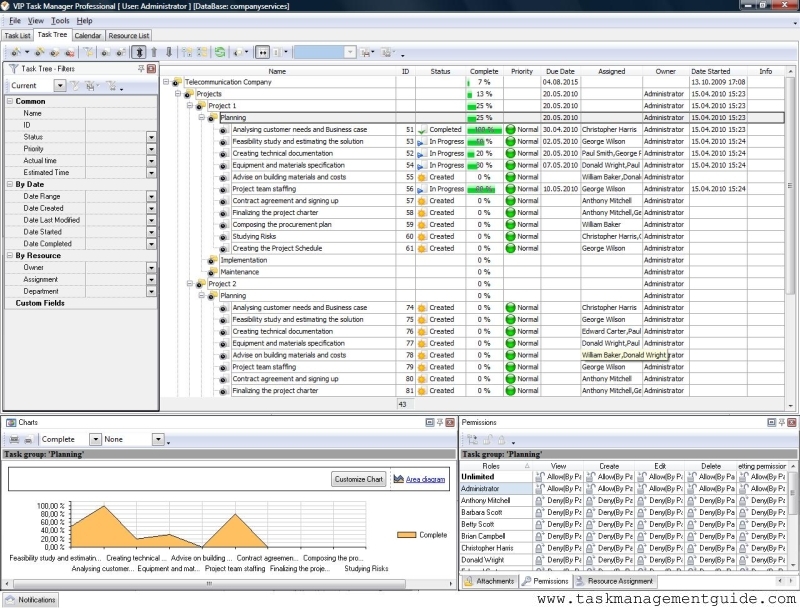
VIP Task Manager allows using the WBS method to plan and manage projects. It features project management tools to develop project trees, create todo lists, design schedules, and build charts.
Action plan
Action Plan:
- Use Task Tree view to create project trees and task hierarchies.
- Use Task List view to manage todo lists and project tasks.
- Use Calendar view to design task schedules and project timeline.
- Use Charts Panel to build diagrams.

|
| |||
 |
|
 |
VIP Task Manager |



 home
home contact
 site map
 my account