Task Management Software


New Articles New Articles RSS feed subscribe
 
Setting Dependencies between Sub-projects
Sub-projects are smaller, interrelated projects that compose larger projects. If sub-projects belong to one and the same project or programme, they are dependent upon each other in some way. Setting Dependencies between Sub-projects


New Checklists News RSS feed subscribe
 
Product Profitability Analysis Action Plan

Product Profitability Analysis Action Plan is created to help company managers in their efforts to keep their products at the best revenue level.

Product Profitability Analysis Action Plan


Home » Solutions » Articles » Action planning software – Following the steps of action planning process
Action planning software – Following the steps of action planning process  

Action planning software – Following the steps of action planning process


Action planning techniques are widely used by managers and employees to set and achieve personal and group goals. Action planning software helps define the steps required for achieving goals by creating actions plans and to-do lists.

When you need to write an action plan to achieve a particular goal or produce an outcome, the following action planning steps will be much helpful:

  • Defining your goal. The best way to define your goal is to get a visual picture of the expected outcome. Then you can see how to reach your destination. Your action planning activities will focus on achieving a measurable and auditable result.
  • Writing a list of actions to achieve the goal. You can write down all the action planning activities you may need to undertake to realize your goal. You need to focus on generating as many different options as possible. Use your action planning sheet to write your ideas just as they come to your mind, but do not try to judge or analyze them.
  • Analyzing and prioritizing actions. Now it’s time to analyze your action planning sheet of ideas to identify and mark the absolutely necessary actions for realizing your goal. Marking ideas means setting priorities. You can use an action planning template to bring the most effective ideas together.
  • Organizing your ideas into a plan. Your prioritized and analyzed list of actions needs to be turned into an action planning worksheet which defines specific deadlines for each action. Your action planning worksheet will be sorted out showing you the hierarchy of actions and the order of action fulfillment.
  • Monitoring execution of your action planning worksheet . You need to use action planning software to keep track of the progress achieved towards your goal. A ction planning tools will let you regularly receive new information on the progress and optimize your plan.

The listed steps are phases of action planning process . This process can be managed by means of action planning software , such as VIP Task Manager .

Action planning software – Following the steps of action planning process

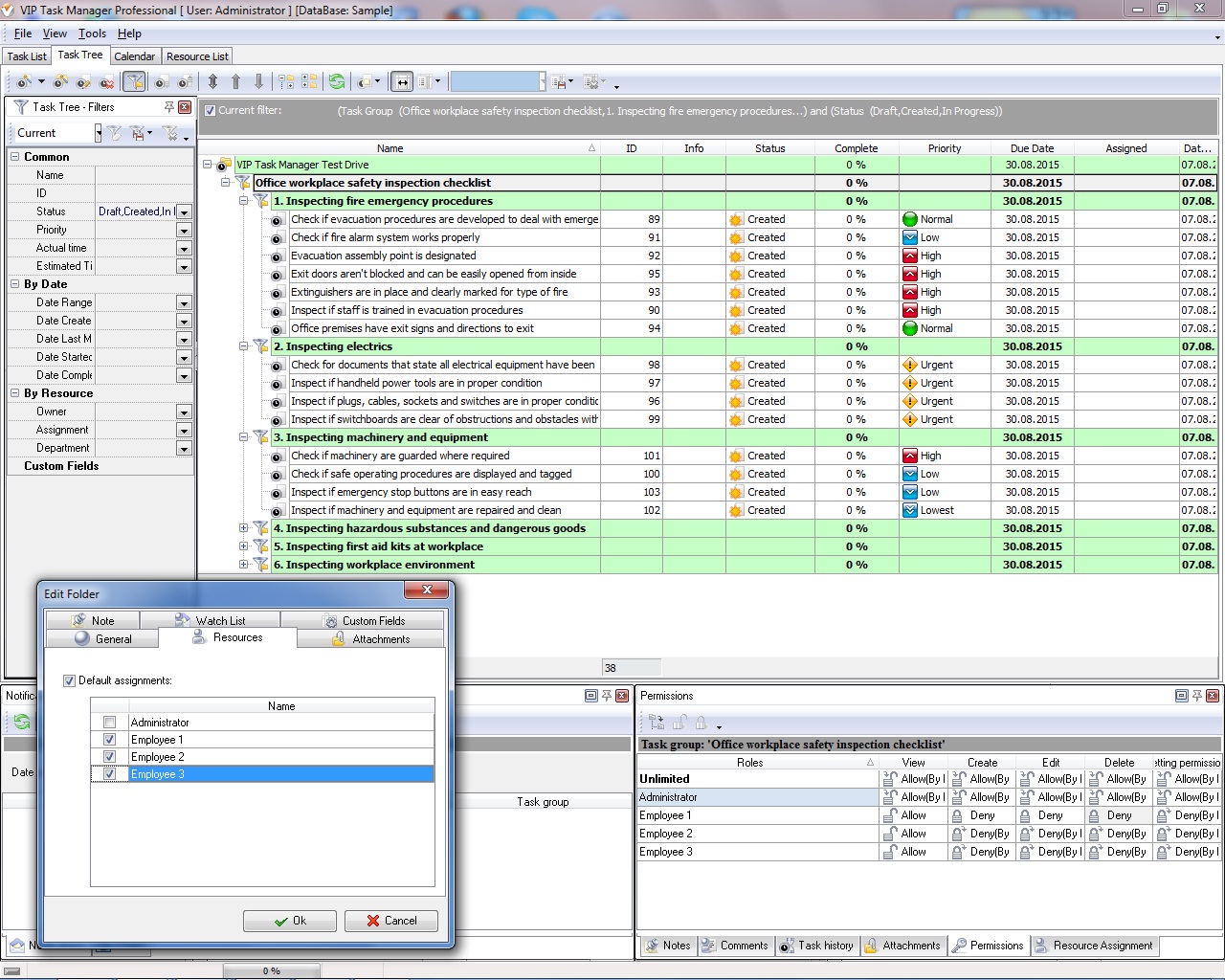
VIP Task Manager features the following action planning toolkit :

  • Task List tool allows creating simple to-do lists, worksheets and task lists. This action planning tool will be best for setting goals and prioritizing tasks.
  • Task Tree tool is best for creating multi-level todo lists and project trees. The tool can be used for designing action planning examples and templates.
  • Scheduler tool is best for managing events and planning tasks. This tool can be used for displaying action planning events on personal and group calendars.
VIP Task Manager allows managing the full action planning cycle , from goal setting through goal monitoring and reporting. You can use the software to create forms and checklists that help organize action planning training for your employees. All your action planning forms and checklists can be shared between users of VIP Task Manager. The software lets create schedules for action planning workshops and meetings.
     

VIP Task Manager
Task management software
for teams & small offices
Play Demo / Download

CentriQS
Business management software
for small & midsize enterprises

Play Demo / Download


home contact site map my account


Copyright © 2004 - 2012 VIP Quality Software, Ltd. All Rights Reserved.