


 home
home contact
 site map
 my account


|
| |||
 |
|
 |
VIP Task Manager |


|
| |||
|
|
|
VIP Task Manager |
Business spreadsheets in electronic format are essential tools that help any department (especially Financial Dept. and Sales Dept.) succeed. Desktop spreadsheets are not expensive and versatile, and many people use them every day. They are created by means of business spreadsheet software. An example of such software is MS Excel which creates excel spreadsheets and allows performing calculations and applying formulas. MS Excel and other similar solutions let create and manage templates and examples but they are not designed to manage repetitive, collaborative business processes and tasks. And that's why these solutions cannot completely meet requirements of business management. If some spreadsheet is usually used by several employees several times during business workflows in your company, you need to implement advanced solutions for managing templates and business spreadsheet examples . Here is a list of benefits that advanced software gives you: | ||
 |
|
|
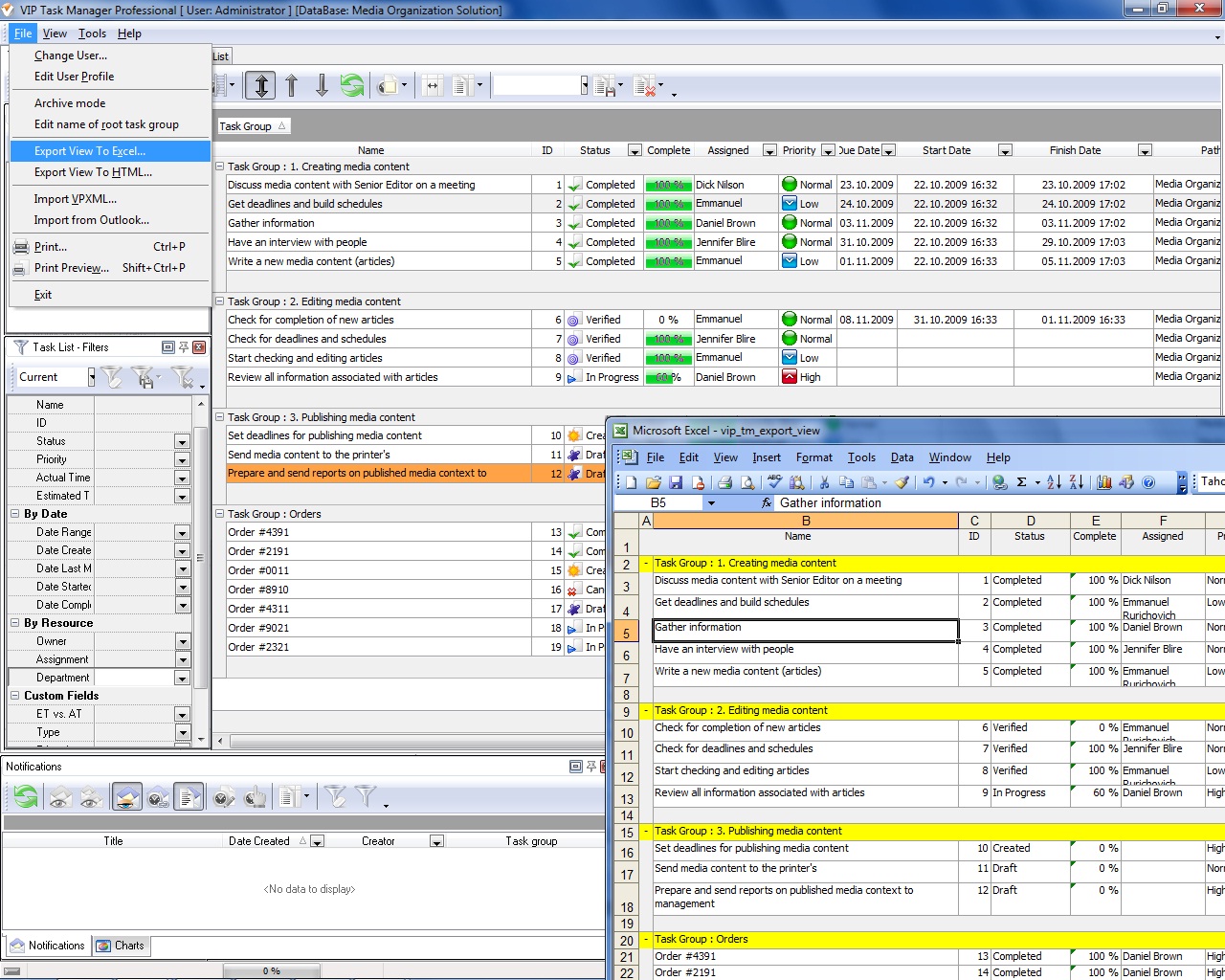
Due to the listed benefits and because of powerful task management functionality of advanced spreadsheet software, you will be able to manage collaborative tasks, processes and workflows in a single database and to use math formulas and calculation tools for budgeting and planning. If you are looking for such advanced solutions, you can try VIP Task Manager Professional . This client-server program is designed to manage tasks and create workflows in a collaborative environment. Your employees can be assigned to tasks and participate in collaborative workflows. VIP Task Manager allows adding custom fields in tasks to perform calculations. For example, you can add such custom fields as "Costs", "Budget", "Hours Worked", "Sales Volume", "Salary", "Tariff", and many others. VIP Task Manager allows combining its own functionality with extended functionality of MS Excel by exporting tasks to excel business spreadsheets . |
You can get VIP Task Manager as a free solution. You need to fill in a short registration form on this website to get quick download links. The solution means you can evaluate VIP Task Manager and try its functionality for free during 30 days. |
 Play Demo Play Demo
|
|
| |||
|
|
|
VIP Task Manager |

 home
home contact
 site map
 my account