


 home
home contact
 site map
 my account


|
| |||
 |
|
 |
VIP Task Manager |


|
| |||
|
|
|
VIP Task Manager |
Desktop task calendar is a simple task management solution that lets create and use schedules for managing tasks. That kind of calendar will probably fit requirements of those people who need a very simple and quick desktop solution for scheduling tasks and planning working time. For other people who need to thoroughly manage daily tasks and projects, most likely a simple desktop task planner will not be the best solution because they will not be able to create categorized to-do lists, manage project tasks, and develop task timelines. Sometimes, desktop task calendar software also refers to simple desktop task widgets and gadgets that can be launched under Windows OS. Task list software is a complex of task management tools to schedule, track and report tasks and to-do items. Such software is also called " organizer" because it offers task organizing features. While desktop task calendar is mainly designed to schedule tasks and develop calendars, that software can be used not only for planning tasks by creating calendars and schedules, but also for tracking and reporting tasks. That organizer offers much powerful task management solutions that can help both a person and a group of people to do their tasks always on schedule and under budget. | ||
A great example of software is VIP Task Manager. It is a client/server multiuser program for task management and group collaboration. VIP Task Manager lets successfully manage tasks and plan working hours. It offers easy-to-use desktop solutions to estimate how many working time a user has spent on doing one or another task.
|
  Play Demo Play Demo
|
|
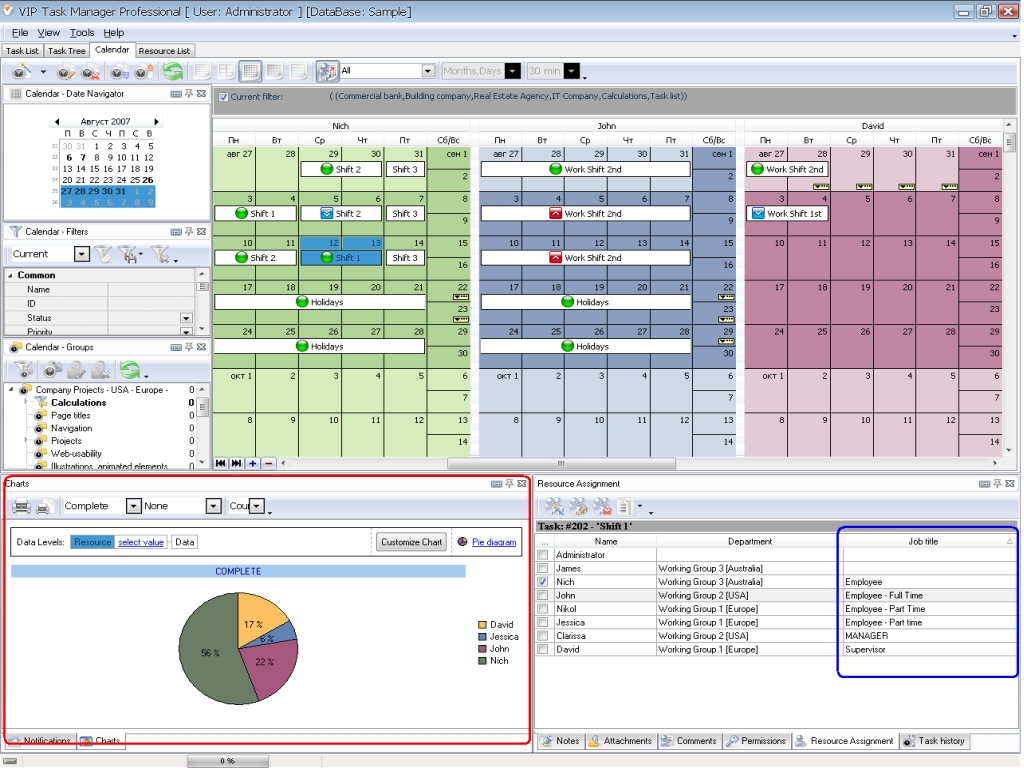 |
The software program features the following tools:
|
|
VIP Task Manager features Reminder tool that allows you to set both email and reminders. This tool will help you remember about important tasks that have been scheduled in your desktop task list. VIP Task Manager allows setting email and desktop task reminders for multiple users. The software is available as a free solution that you can use for free during 30 days. You can download the software from this website. It is fully compatible with Windows OS. |
||
 Play Demo
|
| |||
|
|
|
VIP Task Manager |

 home
home contact
 site map
 my account