Task Management Software


New Articles New Articles RSS feed subscribe
 
Setting Dependencies between Sub-projects
Sub-projects are smaller, interrelated projects that compose larger projects. If sub-projects belong to one and the same project or programme, they are dependent upon each other in some way. Setting Dependencies between Sub-projects


New Checklists News RSS feed subscribe
 
Product Profitability Analysis Action Plan

Product Profitability Analysis Action Plan is created to help company managers in their efforts to keep their products at the best revenue level.

Product Profitability Analysis Action Plan


Home » Solutions » Articles » Meeting management software – Key features and example
Meeting management software – Key features and example  

Meeting management software – Key features and example


Meeting management software allows planning the entire meeting management process, from initial planning of meeting goals to reviewing meeting outcomes and measuring efficiency. Using meeting management software allows avoiding a significant waste of a company’s time and resources.

Powerful meeting management tools of such software will allow managers and meeting planners to distribute preparation materials and assign tasks before and after a meeting. People involved in meeting preparation can use their meeting management skills to capture decisions, follow meeting agenda items and record ideas. Additionally, meeting management software lets ensure that all attendees are aware of the upcoming meeting and all necessary actions are taken to determine the place, date and time of the meeting.

Here are key features of meeting management software:

  • Designing meeting calendars, agendas and to-do lists
  • Using a global database to keep and share meeting documentation
  • Designing meeting management checklists and meeting management templates to easily plan presentations and conferences
  • Planning for meeting budgets and measuring meeting costs
  • Generating reports on meetings
  • Using charts and diagrams to plan the meeting management process

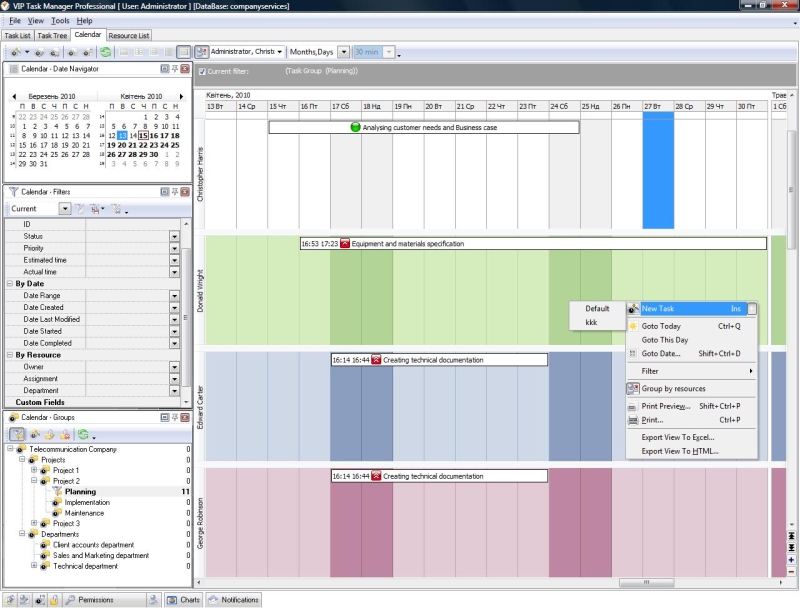
The listed features of meeting management software can be found in VIP Task Manager which is designed to help planners and managers to organize meetings by using to-do lists, calendars and agendas. VIP Task Manager combines a suite of meeting management solutions to prepare agendas, integrate tasks into the meeting management process, locate meeting documentation in one place, share meeting management guidelines and tips between attendees, and collaborate in real-time mode.


 Play Demo
Meeting management software – Key features and example

Here are several reasons for using VIP Task Manager:

  • Ease and Efficiency: the software is user-friendly increasing team productivity and consolidating the overall meeting management process.
  • Customization: the software allows using Custom Fields and Custom Workflows to adapt the process to your needs and use specific meeting management techniques.
  • Reduced Risk: the software lets use performance indicators to measure efficiency and follow the bottom line with an emphasis on risk mitigation.
  • Collaborate with Teams: the software supports multi-user access to a global database and allows collaborating in real-time mode.

You can download a trial copy of the meeting management software from this website and use it within 30 days for free. Being a worthy solution for planning and organizing meetings, VIP Task Manager successfully competes with most meeting management freeware solutions as its developers continuously work on improving functionality and features to provide the final user with a complete and comprehensive meeting management system.


VIP Task Manager
Task management software
for teams & small offices
Play Demo / Download

CentriQS
Business management software
for small & midsize enterprises

Play Demo / Download


home contact site map my account


Copyright © 2004 - 2012 VIP Quality Software, Ltd. All Rights Reserved.