


 home
home contact
 site map
 my account


|
| |||
 |
|
 |
VIP Task Manager |


|
| |||
|
|
|
VIP Task Manager |
Project planners software is an easy and fast way to plan projects by developing detailed project plans, scheduling tasks and activities, creating to-do lists, and managing human and material resources. You can use project planner software application to divide your project into phases and steps and then create detailed task descriptions, design working calendars and use documents to make each step more specific and get visibility into project work. Advanced versions and editions allow managing several projects at once and organizing a project management office (PMO) that includes multiple roles and responsibilities of cross-functional teams. By using desktop or web project planner application you can use your management skills to become a successful project manage who is able to coordinate details of your project, create a plan for executing the job and ensure that all individuals involved in the project can easily communicate and collaborate with each other and perform assigned tasks according to the schedule. Here are basic features of multi user software that will help you achieve success in planning and managing projects:
| ||
Depending on the operating system installed on your desktop computer or laptop, you can choose between Windows and Mac. Windows and Mac are the most popular operating systems today. Some users prefer Linux OS, and if you are one of those users you need to look for project planner for Linux. VIP Task Manager is a Windows-operated application. |
  Play Demo Play Demo
|
|
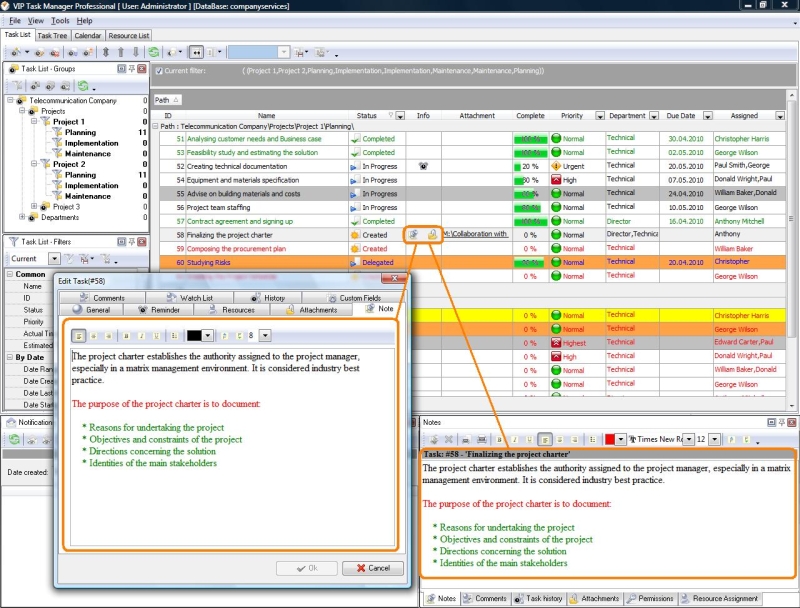 |
VIP Task Manager is powerful software that combines the listed features, allowing you to efficiently plan, track and measure projects. It includes such project planning tools as Task Tree and Task List that are best for creating project structures, using project templates, tracking tasks, and measuring performance. VIP Task Manager also features Calendar that helps schedule tasks and develop project schedules. Just like most web based project planner systems, Calendar supports Drag&Drop functionality that simplifies task scheduling. |
|
VIP Task Manager is shareware so you can use it for free during 1 month. VIP Task Manager is not an open source project planner solution yet it successfully competes with most free online project planner systems that are available in Internet. You can download an evaluation copy of VIP Task Manager to try its powerful tools and features. |
||
 Play Demo
|
| |||
|
|
|
VIP Task Manager |

 home
home contact
 site map
 my account