


 home
home contact
 site map
 my account


|
| |||
 |
|
 |
VIP Task Manager |


|
| |||
|
|
|
VIP Task Manager |
|
Project report software is innovative managerial instrument that is designed to save a great amount of time on the project by promoting electronic paperless process of project tasks status tracking and reporting. It is effective project progression administrative tool provided both to project superiors and average project participants. The point is creating of transparent and interactive electronic environment where versatile project status report can be instantly built for analysis. In order to support instant creating, your project report system should provide all necessary means. First of all, it should ensure quick collecting and systematization of actual project information, so it should drive a database regulated by project descriptive rules and should support network of client project reporting software components (workstations) that ensure versatile toolset for instant delivering and recording of project status report information into project database. As we can see the application should drive all operations related with project report management (data collecting, integration, recording, reading, modifying etc.), so that's why software should work according to client-server technology. | ||
|
The component of project reports tool which supports operations and interactions within database is called "server" and can be deployed in your corporate LAN, so software can use facilities provided by your business network to interconnect multiple users that can launch their client components of project report applicationto connect server and simultaneously work with common project database. The best technology for application is client-server as it allows instant (real-time) collaboration between users.
|
||
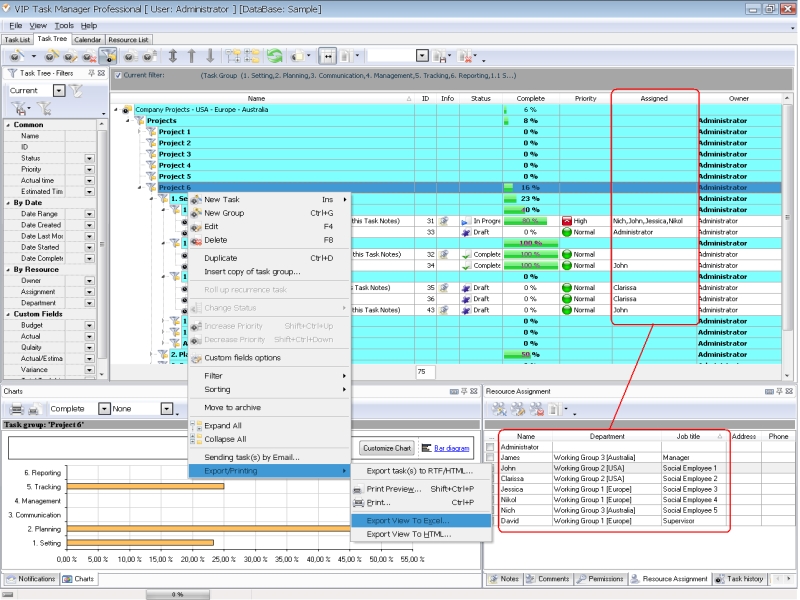 |
VIP Task Manager is proper client-server project reporting software that works like electronic project report template given to each of performers. It provides project stakeholders with rich capabilities to assure their best possible level of integration into job progression management. You and your teammates are able to create own project report template (or set of templates) to display status report data in the most convenient and informative way. |
|
This project reports tool can work in Task Tree mode to create a break-down structure of your project, in Task List mode to manage to-do lists and in Calendar mode to review your agenda in daily, weekly, monthly and yearly views. Work managers can easily switch between different modes of this shareware in order to plan, assign, assess and change workloads for multiple employees.VIP Task Manager, as effective software, allows you to drive multiple projects with different workflows where each project's details (tasks, time, costs, assignments etc.) can be instantly and easily controlled. Read also a new article about process management - project management client-server software for Windows |
||

 Play Demo
 Play Demo
|
| |||
|
|
|
VIP Task Manager |

 home
home contact
 site map
 my account