


 home
home contact
 site map
 my account


|
| |||
 |
|
 |
VIP Task Manager |


|
| |||
|
|
|
VIP Task Manager |
Shared workspace is a virtual working environment that provides collaboration and that allows participants in different locations to access information and interact with each other just as inside a single entity (a database). Shared workspaces are usually supported by electronic means of communication and groupware solutions which enable participants to overcome space and time differentials. For example, Microsoft facilities are supported by SharePoint that enables users to manage common information and get an understanding of processes and tasks regardless of physical location. Shared workspace software allows you creating a virtual workspace that supports real-time communication functionality to collaborate with users. Such software can be applied to management of tasks and processes within projects in a company, and this ability makes that software the number one groupware solution for collaboration and team building. Here are two main advantages that project management software gives you:
| ||
|
Shared workspaces can be based on both client-server and online technologies. Client-server solution offers you the best performance and usability as this technology supports user collaboration and data exchange via LAN/Internet. Online packages can be used when you need to run outsourced projects and manage remote workers while you don't have free server space to keep project information locally. Those packages is an effective solution but it is rather expensive in financial terms because you have to pay per user per account each month. |
||
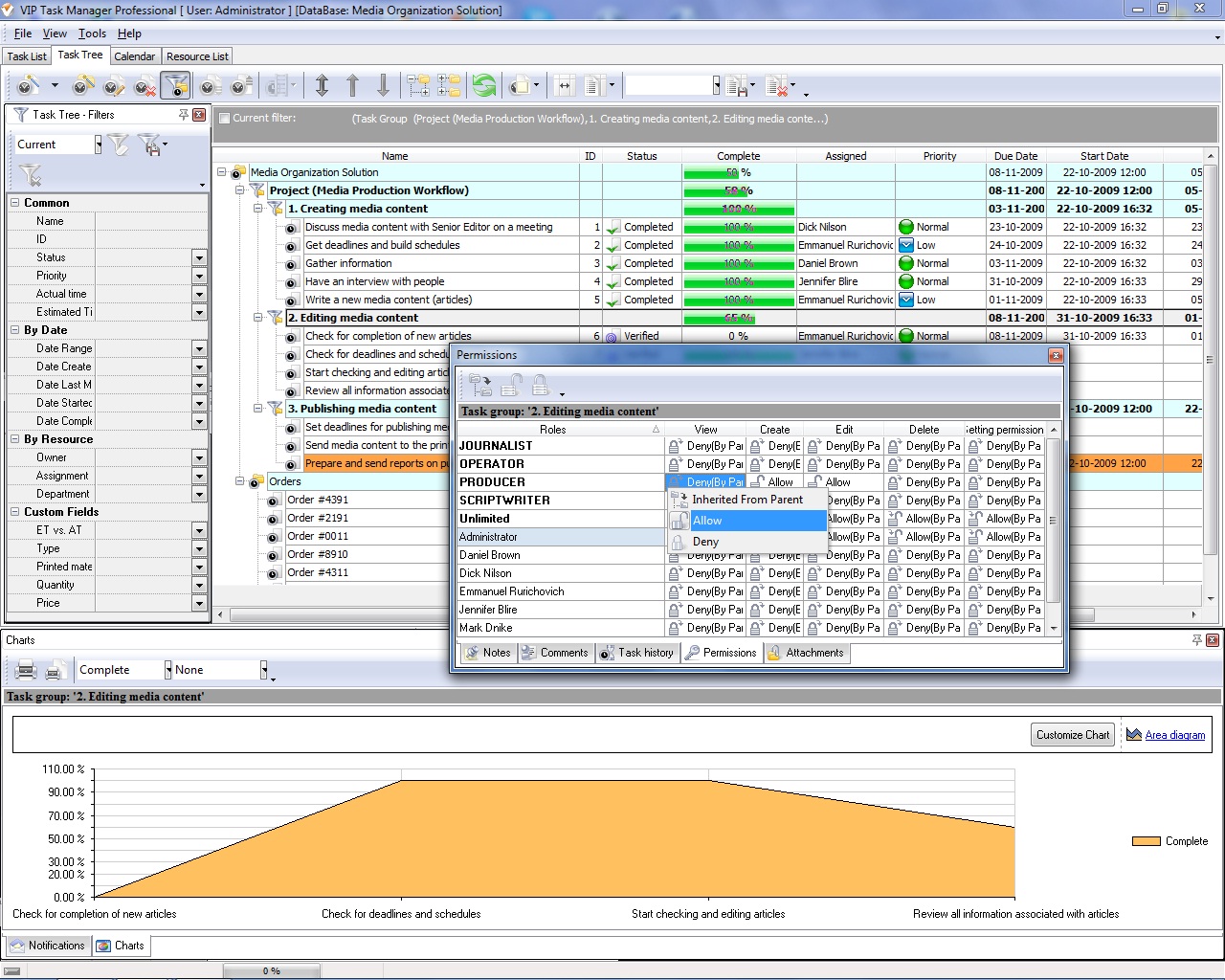 |
VIP Task Manager is client-server project management software that helps you reduce information chaos because you can build, manage, and leverage team workspaces. The software is a great alternative to Microsoft solutions.VIP Task Manager uses the cost-effective Firebird's database management system to establish user collaboration and create virtual work environments. You can create shared databases in which you will keep tasks and schedules to manage todo lists and share project documentation. Access to this information is protected by password and its security is rather greater than security of information kept in shared workspace in MS Excel or Word . |
|
VIP Task Manager has shared workspace task pane (Task List view) and project workspace template builder (Task Tree view) that give you powerful tools to manage tasks and projects. For example, you can use filters to display only urgent and prioritized tasks. Read also a new article about process management - project management client-server software for Windows |
||

 Play Demo
 Play Demo
|
| |||
|
|
|
VIP Task Manager |

 home
home contact
 site map
 my account