|
By developing and using task list spreadsheets , the work required for making project estimation and assessment can be essentially simplified and its results can be easily turned into convenient project spreadsheets , plans and outlines. You can use project spreadsheets to perform calculations and find the most optimized solutions for saving human and financial resources, delegating assignments, determining stakeholder expectations, managing risks, and producing project deliverables. The process of developing task list spreadsheets consists of the three phases:
- planning . At this phase, you need to gather information about your future project. The following information is required: expected project start date and finish date, expected amount of financial resources, expected amount of expenses, and expected quantity of project team members. Those solutions allow you to share your duties with other employees who help you use the mentioned information to create spreadsheets in which various formulas are used. The phase has a great impact on project development so you should carefully gather information on your project and use task lists to perform accurate calculations. The phase results in creating a foundation to be used for planning budgets and expenses of your project.
|
-
tracking . At this phase, you get project and calendar created at the previous phase. They are used to organize and manage ongoing activities and measure risks and threats. As a spreadsheet manager, you need to keep track of project costs and availability of human and financial resources, as well as to mitigate risks and identify opportunities for improvement. Enterprise spreadsheet managementsoftware will help you track ongoing project activities by providing you with task supervising and monitoring tools. The spreadsheet tracking phase results in developing and applying methods to cost optimization and risk management.
|
|
|
-
reporting . At this phase, your project is already finished, or it comes to an end. As a spreadsheet manager , you are responsible for providing senior project management with reports that describe current situation and status of project deliverables. All information on your project can be gathered into a project spreadsheetreport that summarizes the total costs spent, the number and names of human resources involved, etc. Spreadsheet management software will help you generate such a report and make an overview of the project.
|
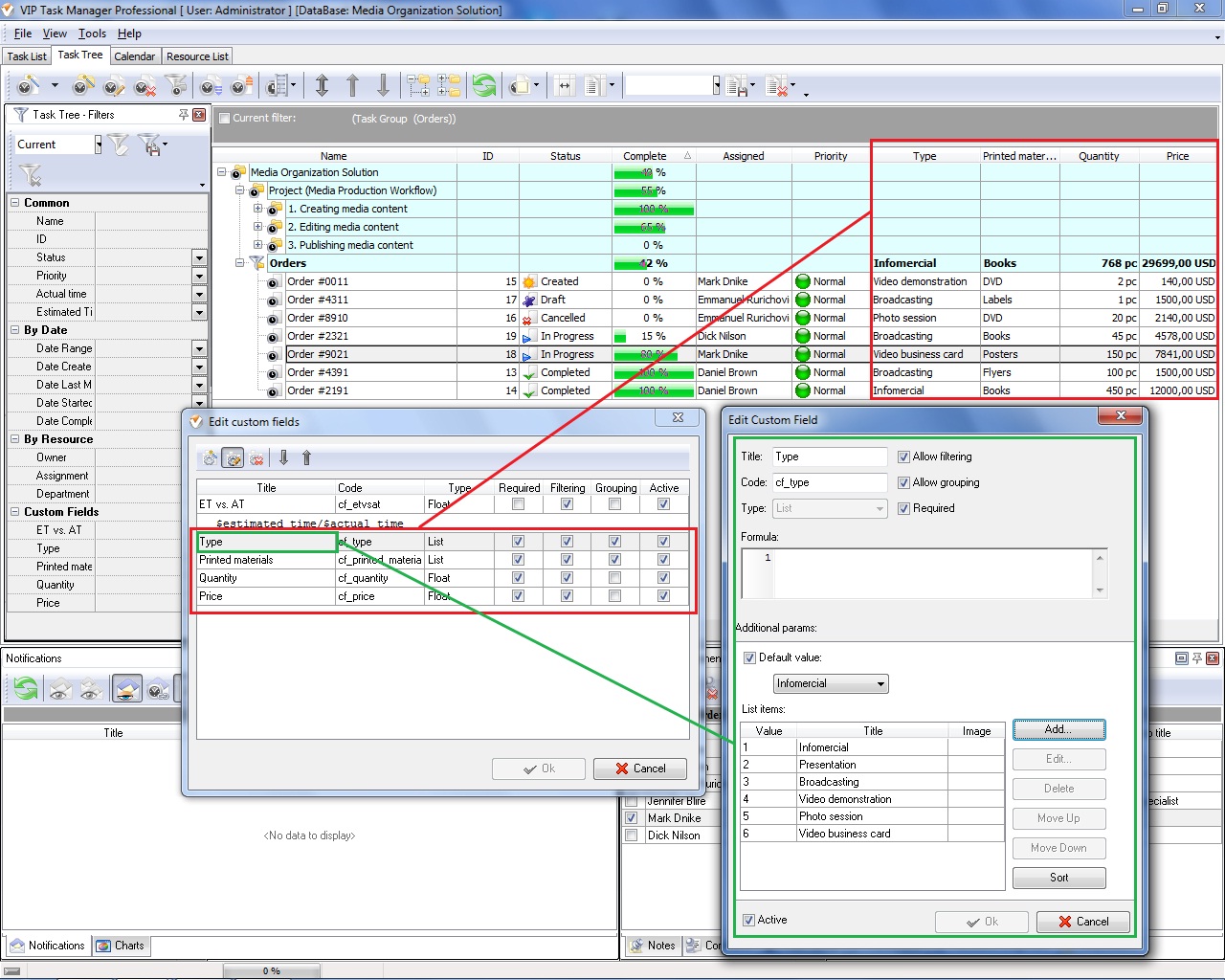
VIP Task Manager is a client-server program for project management and group collaboration. It gives you solutions to allow managing projects and planning, tracking and reporting project spreadsheets . The program features Custom Fields functionality that helps you add user-defined columns in task lists and project folders. Any custom field may have formulas and conditions to perform calculations in tasks of your project. The program allows defining user access level to projects and tasks. |
|
| |
|
|


 home
home contact
 site map
 my account





 Play Demo
 Play Demo
 home
home contact
 site map
 my account