


 home
home contact
 site map
 my account


|
| |||
 |
|
 |
VIP Task Manager |


|
| |||
|
|
|
VIP Task Manager |
In oder to schedule and plan activities of a group of people, staff scheduling system and tool are usually used. These solutions are not the same things, so an understanding of their features will help you make the right choice. Such an understanding will allow you to save your money and time because you won’t have to personally test features and functionality of both solutions in order to find the difference. This article gives you that understanding, and it also shows examples of both system and tool. When you need to manage simple tasks of employees and develop work schedules and calendars to plan their activities, you can use staff scheduling tool. Such a tool is a set of features that generally allow doing the following:
Such a features list of tool seems to be sufficient for achieving the best organization and management of groups of employees. Both desktop and online tools can be also used to manage simple projects and teamwork. An example of 30-day free tool is VIP Team ToDo List. When you need to manage complex projects and team management activities that include budgeting and resource management, system is required. Such a system offers more powerful features than tool and allows creating a centralized database that users can access through Internet connection or LAN. Staff scheduling system includes all the features of tool and it also has additional functionality that makes it more suitable for scheduling projects and processes:
| ||
Staff scheduling system is suitable for those people who want to create a single work environment where staff members can collaborate and communicate with each other in real time. An example of the system is VIP Task Manager.
|
  Play Demo Play Demo
|
|
 |
VIP Task Manager uses a client-server technology to allow you to connect to a server over local network or Internet. The software supports real-time user collaboration and information sharing. It features Task Tree view that helps build templates and checklists. At this website, you can find a library of templates and checklists, including examples of free templates . |
|
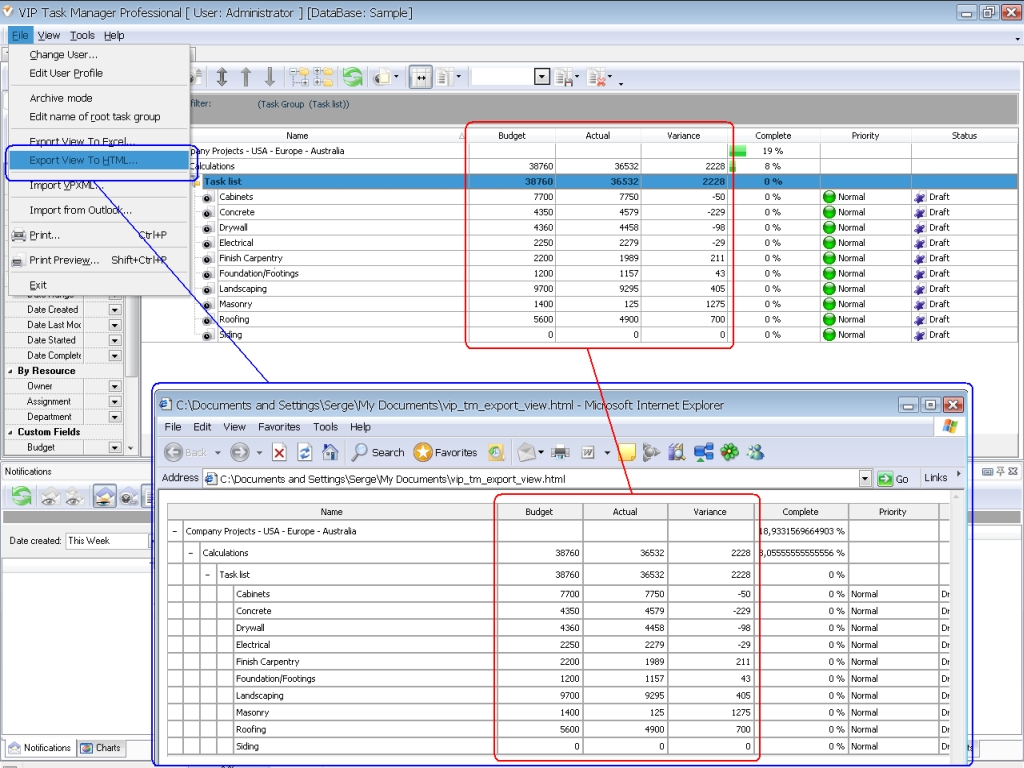
VIP Task Manager allows exporting your task lists to Excel sheets, so you can combine your task list with your staff scheduling Excel templates. It also allows creating spreadsheets and performing calculations in task lists. VIP Task Manager is staff scheduling shareware. You can download the free trial copy of the software from this website. |
||
 Play Demo
|
| |||
|
|
|
VIP Task Manager |

 home
home contact
 site map
 my account