


 home
home contact
 site map
 my account


|
| |||
 |
|
 |
VIP Task Manager |


|
| |||
|
|
|
VIP Task Manager |
|
As far as project grows and gets larger, project team schedule needs to become more rigorous and structured. At the same time, the process should be simple enough; otherwise, project manager may suffer from too complicated and overwhelmed project structure, and mismanagement will result in the project failure. Normally, it is used to update and manage the project schedule and is pretty clear, and the project manager doesn't waste time on wondering how to schedule collaborative work. For example, manager might receive updates from group members every Friday and make new assignments and schedule tasks each Monday. | ||
|
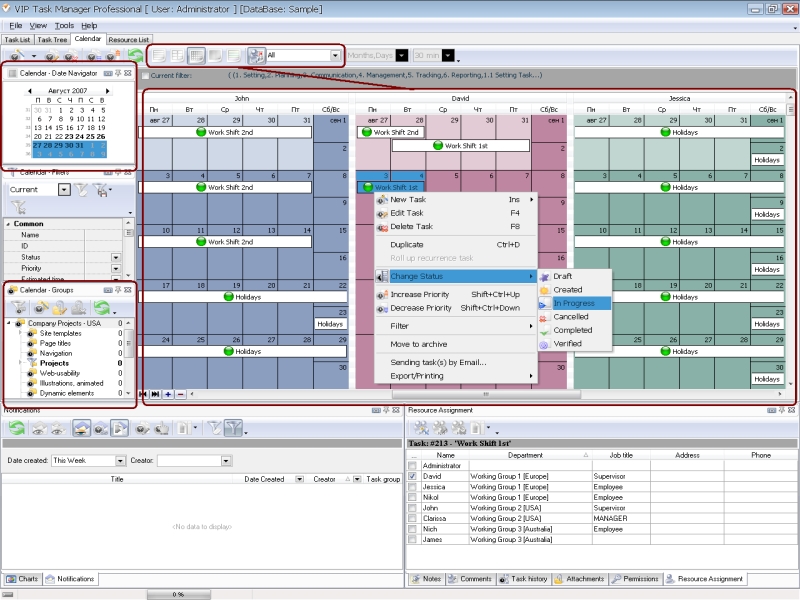
However, such a simple scheduled team process may not be thorough enough for a continuously growing project. The project manager on the larger projects may need to plan the team schedule ahead to understand and communicate how he/she will manage the project. Those solutions will be very helpful. That software helps the project manager create work schedules and plan an unlimited number of action lists and task lists. Here're some specifics that team scheduler can bring to growing projects:
|
||
 |
|
|
If you're running large projects and getting hard to go further, there's no need to surf the web to find out how to schedule team.VIP Task Manager may be the right solution for you.VIP Task Manager is project team management software that is perfect for scheduling and tracking. This PM software allows to manage large and constantly growing projects. Real time team management system o lets you keep track of all ongoing changes of the projects and make quick re-assignments and task delegations to adequately react to demanding environment. Read also a new article about process management - project management client-server software for Windows |
||

 Play Demo
 Play Demo
|
| |||
|
|
|
VIP Task Manager |

 home
home contact
 site map
 my account