


 home
home contact
 site map
 my account


|
| |||
 |
|
 |
VIP Task Manager |


|
| |||
|
|
|
VIP Task Manager |
Work tracking tool is very useful for monitoring all your assignments, tasks, issues, events and time spent on performing your projects and carrying out your duties. It also helps you in planning, organizing, managing and reporting jobs of your team in order to support group collaboration, ensure successful completion of projects, and achieve goals of teamwork. It is a multi-user solution that allows taking your work from planning steps through completion. Typical work tracking tools are designed to minimize the amount of time users usually spend on performing and monitoring their tasks and assignments. You can track project time, project tasks, and project notes. Your daily activities can be organized into a workflow that you can share with your colleagues and team members. As a project manager, you can use that system to monitor and control tasks and performance of your project team. Members of the team are able to send you feedback in the form of reports and summaries. When you need to develop a new project, you can use templates & spreadsheets that allow you to create a project structure and perform necessary work calculations. Agenda templates are great for planning projects when you need to develop project task lists, make assignments, share project documents, and take other necessary steps particular to the project planning phase. Spreadsheets are also helpful to estimate budget, measure project performance, control team productivity, and do other things particular to the project analyzing phase. | ||
Work tracking systems are widely used in offices for organizing office duties and jobs as well as for managing project activities, workflows and processes. If you want to use such systems and try to make your office activities better, you can use VIP Task Manager. |
  Play Demo Play Demo
|
|
 |
VIP Task Manager is a simple yet powerful system which supports functionality for group collaboration and task management. It is a client-sever solution that you can use locally in your office as well as remotely through Internet connection. VIP Task Manager allows you to plan, do and check tasks and projects. Members of your team can access one and the same database and share tasks and projects. |
|
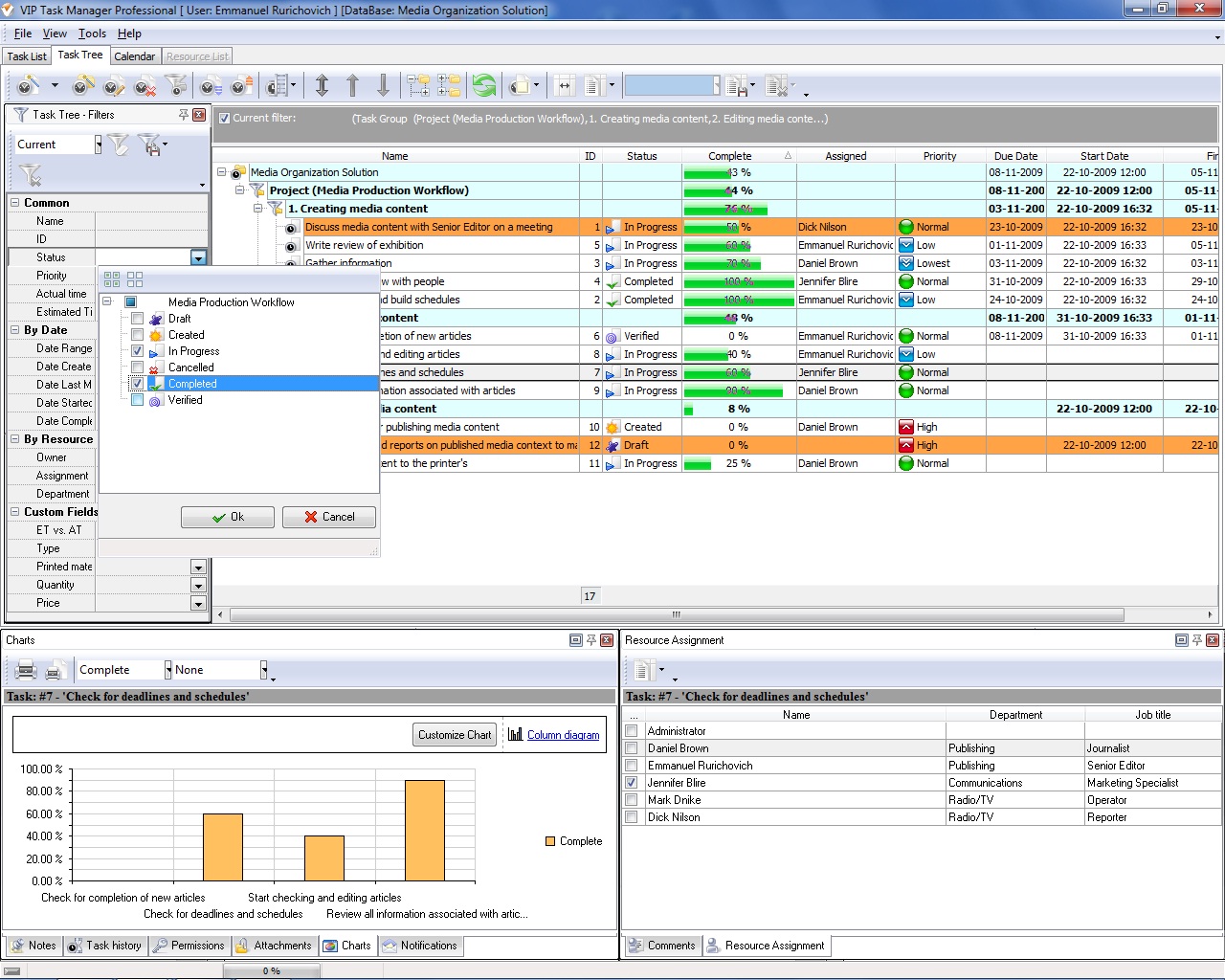
The tool features Task Tree view that allows you to build project trees and task hierarchies. Task Tree is convenient for developing templates and performing calculations on your projects by using spreadsheets. In Task Tree view, you can also use Task History panel to track changes applied to tasks. This panel allows creating logs that you can use in your project tracking activity. VIP Task Manager also features Calendar view that helps you plan events and develop daily sheets. Calendar view allows scheduling action plans and developing project timelines.
|
||
 Play Demo
|
| |||
|
|
|
VIP Task Manager |

 home
home contact
 site map
 my account