


 home
home contact
 site map
 my account


A recent study conducted by PMI (Project Management Institute) found that 65% of almost 50,000 projects were completely failed or late, over budget and missing critical features because of the lack of file collaboration software. This statistic data makes it very important for project managers to think about possible ways for improving existing data sharing platforms and providing team members with reliable and efficient communication tools. File collaboration software helps improve project data exchange and document sharing. It allows using local network capabilities to create a centralized storage that is accessible by users participating in projects. Then project teams will have the luxury of working together from multiple locations, while managers and supervisors will use utilities to track and review team performance in real-time mode. All the project participants will be enabled to collaborate and communicate with each other and also share files and documents. That software provides data synchronization and this functionality makes it easier to plan and manage electronic paperwork. | ||
By deploying a centralized server you gain the following advantages for managing project teams and tasks:
|
  Play Demo Play Demo
|
|
 |
File collaboration software makes it possible to deploy a centralized server that gives you all the listed advantages. You can combine local network capabilities of your office with that system to set up a collaborative working environment in which teams can share information, communicate with each other, work on common goals and exchange files. For example, you can try to use the xcel software to design sharable spreadsheets and files. By using MS SharePoint technology you can also use Outlook software that simplifies task management and project planning. |
|
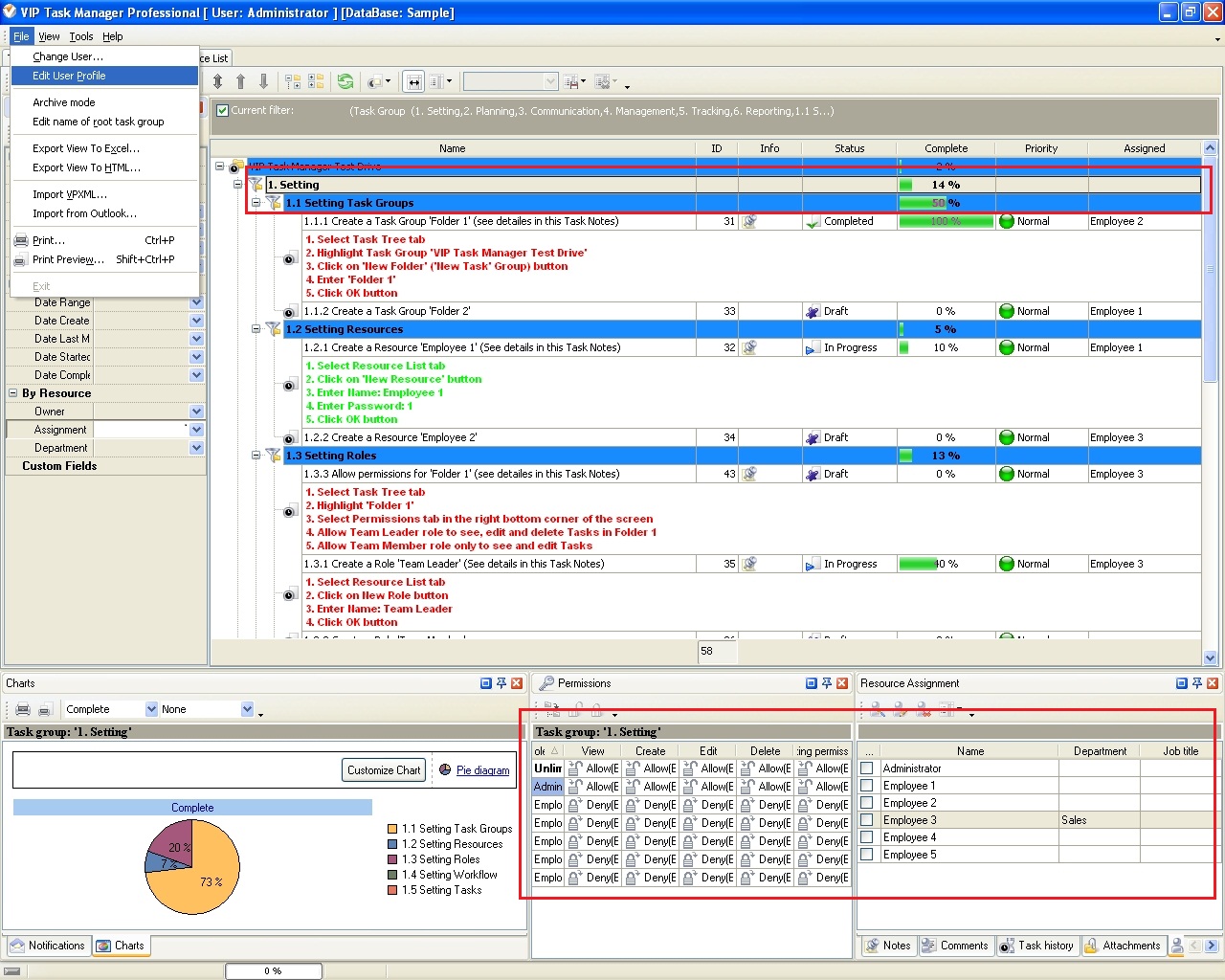
VIP Task Manager offers affordable teamwork solutions that allow users to communicate with each other in real-time mode and share project files and documents. VIP Task Manager uses a client-server platform (similar to file collaboration SharePoint technology designed by Microsoft) that provides users with tools for planning projects, managing tasks, exchanging documents and setting up permissions. The software allows creating a centralized database file that keeps all project data in one place. Users can access this database through LAN and Internet. |
||
 Play Demo
|
| |||
 |
|
 |
VIP Task Manager |



 home
home contact
 site map
 my account