


 home
home contact
 site map
 my account


If you are interested in learning project management reporting , it’s useful for you to know that there is the "golden rule" every successful project manager remembers. The rule says: "Any reporting is better than no reporting." During the course of projects every manager is regularly asked about the course of current job, open problems and applied solutions. When you are responsible for PM duties, you should understand that senior management is highly interested in receiving information about your project on a regular basis and in a convenient document format . While remembering and following the "golden rule", you need to create and submit reports, and software can help you with this matter. Project management reporting software allows you to do two important things that cause successful reporting. The things are described below:
| ||
Project management reporting software can be used not only for making, submitting and sharing reports but also for tracking and controlling project activities. It lets keep all information on your project in a database, and you can use tracking capabilities to supervise tasks and review work schedules and calendars. For example, VIP Task Manager (which is a complex system for managing projects, tasks and resources) allows planning, controlling and reporting projects. The system can be used to manage the whole life cycle of any project that you and your team are responsible for. |
||
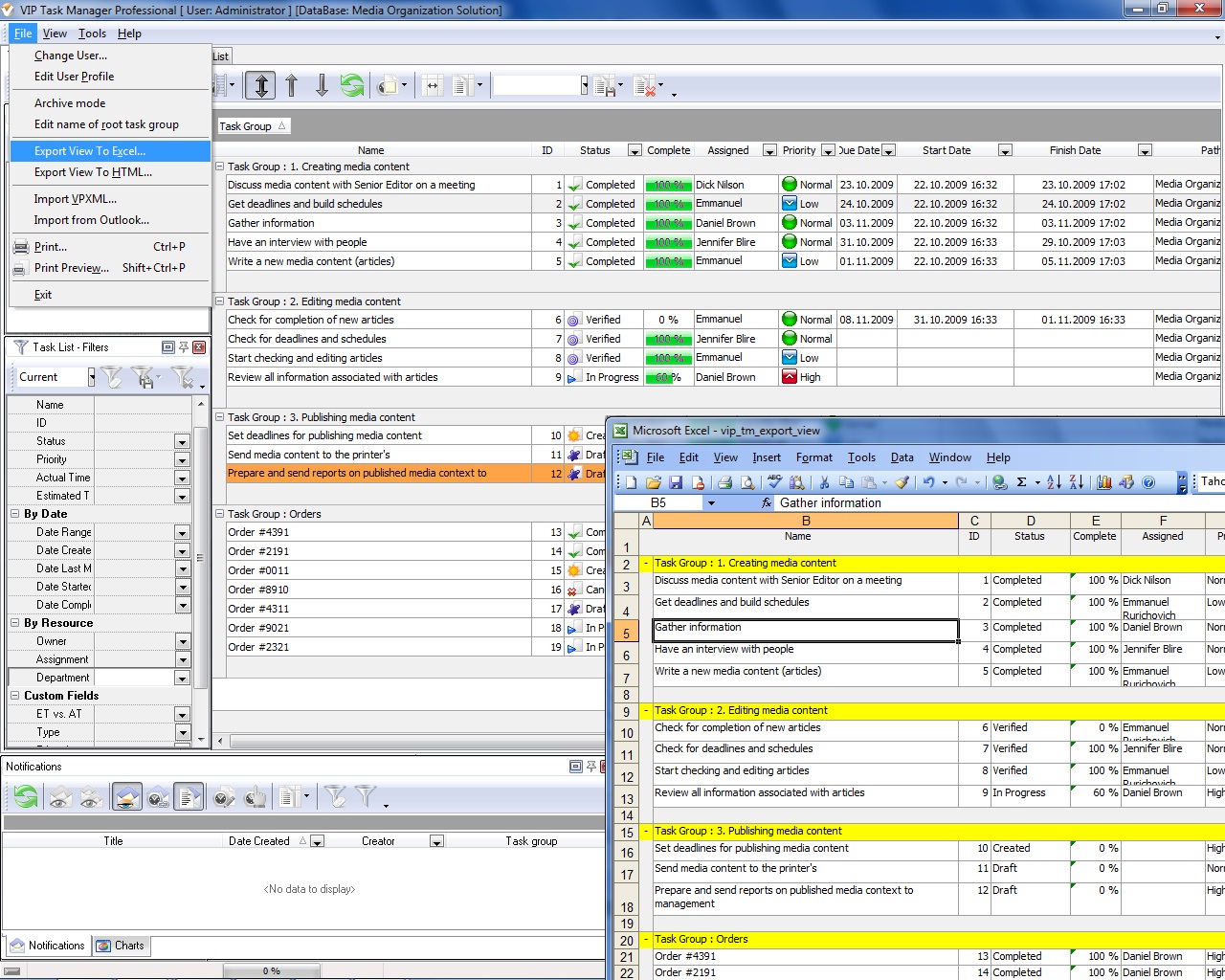 |
VIP Task Manager features Task Tree to help you build work trees and hierarchical to-do lists. Task Tree allows exporting current view of your project to HTML and Excel files, and you can use Task Tree Filters to define structure for your HTML/Excel report. Task Tree can be also used to set some form of regular reporting, so you can feel free to use it to build project management report sampletemplates and modify them according to your needs and common requirements . |
|
VIP Task Manager features Task List to help you track projects and make quick job conclusions . Task List is convenient for supervising tasks and jobs assigned to members of your project team. Task List allows managing task priorities, due dates, durations, resource assignments, and other attributes that make your job complete and verifiable. You can use Task List to apply various techniques to review and control tasks of your project. Task List combines powerful task sorting and filtering capabilities that let you better manage templates and project todo lists. |
||

 Play Demo
 Play Demo
|
| |||
 |
|
 |
VIP Task Manager |



 home
home contact
 site map
 my account