


 home
home contact
 site map
 my account


Completed or not completed
Team leader not only delegates tasks, but also tracks the tasks to see if they are really completed. Your employee may think that he has completed the task well, while you will find some mistakes or gaps in his work. In this case you need to return the task back and tell the employee what he should do for you to accept the task. How to quickly track completed tasks and assign the uncompleted tasks back to employee? Use Task Management software to make it quickly and easily.
Return the task back to employee or verify it
You can track team tasks completion any time by using task management software. You can sort task list by completion and check tasks that have 100% complete. If in your opinion the task is not finished yet or result is not that you expected, you can easily change task completion from 100% to what you think is right. Your employee will receive notification that task isn’t completed yet and also some instructions. In case everything is right and task result is exactly what you want, set ‘Verified’ status to let your employee know that everything is ok.
Action plan
- Start your task management software
- Sort task list by completion and check if completed tasks are accomplished with the result you expected
- If you think that some tasks need any improvement just change its % of completion
- Set ‘Verified’ status if you confirm that task is completed
See also:
Get rid of tasks that will never become important enough to get done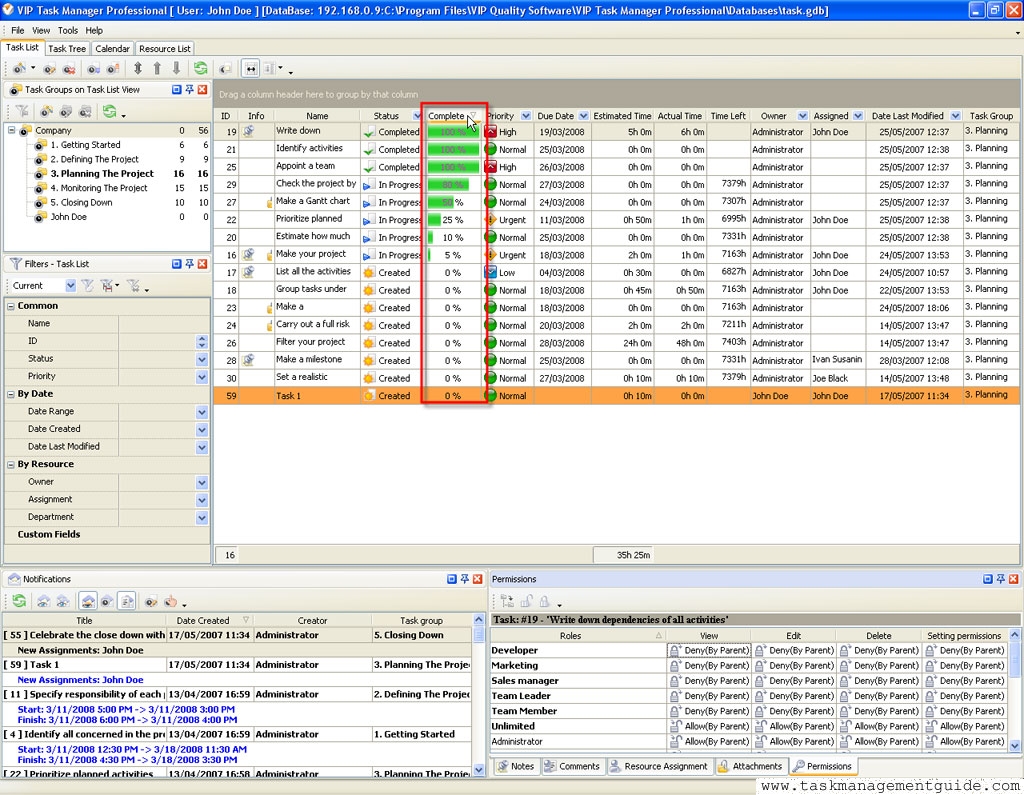

 |
CentriQS Tracking Tasks Solution Task Time Tracking in CentriQS is very flexible. Users can track time they spend on tasks both manually by entering actual/remaining task duration or adding time logs and automatically by using task timer that adds time logs when you pause or stop it. Task property "Deviation" informs users whether they are "On Schedule", "Ahead of Schedule" or "Behind Schedule" by calculating the difference between "Estimate" and "Actual+Remain". |

 home
home contact
 site map
 my account