


 home
home contact
 site map
 my account


Workgroup support system is team management software designed to improve performance and collaboration of team members. Workgroup support system allows sharing and tracking multiple flows of information by creating a single work environment in which team members can collaborate with each other, exchange ideas and make valid decisions. It is usually applied to project management to lead project teams and workgroups. At the same time such systems can be also introduced into a challenging business environment to manage business processes and workflows. Flexibility and functionality provided by workgroup support systems will show you new opportunities for better business management and project management.
To try out a kind of that system just now, you can download VIP Task Manager - a groupware solution which helps build a collaborative environment where you can improve team productivity and performance through running and improving team management, document management and workflow management. VIP Task Manager gives real time management tools to initiate, plan, organize and run complex projects and business workflows.
Action plan
- Start VIP Task Manager software and log in your database
- Use Task List view to create, manage and track to-do lists
- Use Task Tree view to build a multi-tier structure of your project and multiple stages of your business workflow
- Use Filter Bar to track tasks by any parameter (Name, ID, Due Date, Status, Assignment etc.)
- Go to Charts Panel to build diagrams that help you get a graph view of projects and workflows
- You can build reports on tasks and projects by using Report Builder
See also:
Make your short term to do list and concentrate your attention exactly on it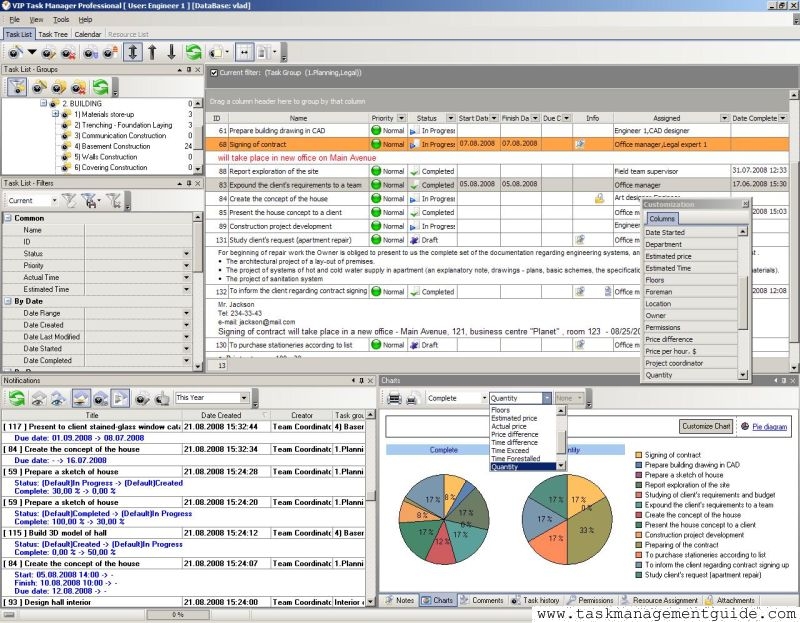

|
| |||
 |
|
 |
VIP Task Manager |



 home
home contact
 site map
 my account