


 home
home contact
 site map
 my account


Learn to prioritize
It's extremely important to prioritize the tasks in your To Do List before start doing them. But it is not always easy to recognize the most important tasks and determine what priority should be assigned to each of them. If you often have troubles in setting priority to the task, make it a rule to ask yourself "Which of two tasks should I choose, if I can accomplish only one of them?" Your choice will determine the importance and priority of the task. After you consider the whole to do list, you can proceed to make your daily, weekly and other schedules.
"Set priority to each task" To Do List
- Before you start making your schedule and accomplishing tasks, you should set priority to each task
- Track your To Do List and compare all tasks by their importance
- To those of them, that can't be missed and should be done first of all, set higher priority
- Use software to set priority to each task in your To Do List
Action plan
- Start your task management software
- Track your task list and determine the value of each task in comparison with others
- In accordance with your conclusions, set priority to each task
- Before further work with your task list sort the tasks by priority
See also:
Develop an agenda of the meeting and keep the participants aware of its plan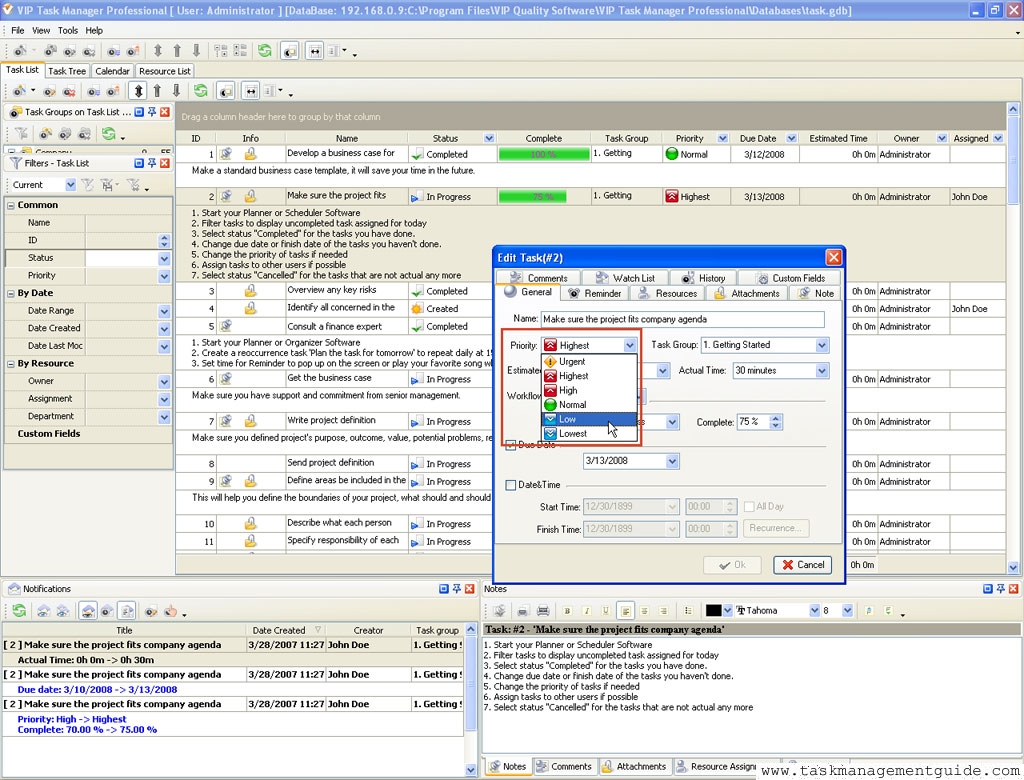

|
| |||
 |
|
 |
VIP Task Manager |



 home
home contact
 site map
 my account