


 home
home contact
 site map
 my account


The advantages of morning planning
There are companies that have stable and predictable activity, but there are also such businesses where events must be coordinated and confirmed before making final plan. For the first type of the companies it's very convenient to plan the tasks in the evening of the previous day. But if you work in a company that is not so stable, we recommend you to plan the tasks in the morning before you start working on them. You may need to determine some additional details or make some confirmatory calls in the morning and as a result of them you have to change definite points of your plan. That's why it's more reasonable to save your time by planning once – in the morning.
"Morning planning" To Do List
- Each morning when you arrive to the office don't forget that you need a plan
- Make required meeting confirmations or obtain all additional information that you need to make your final daily plan
- After that start planning your day
- Use software to set recurrence task to make daily plan in the mornings
Action plan
- Start your task management software
- Create a recurrence task "Plan the tasks for today"
- Assign it to repeat daily at 10 minutes after your working day starts
- Set reminder to pop-up at the screen to notify you about this task
See also:
Regularly re-evaluate your company organization system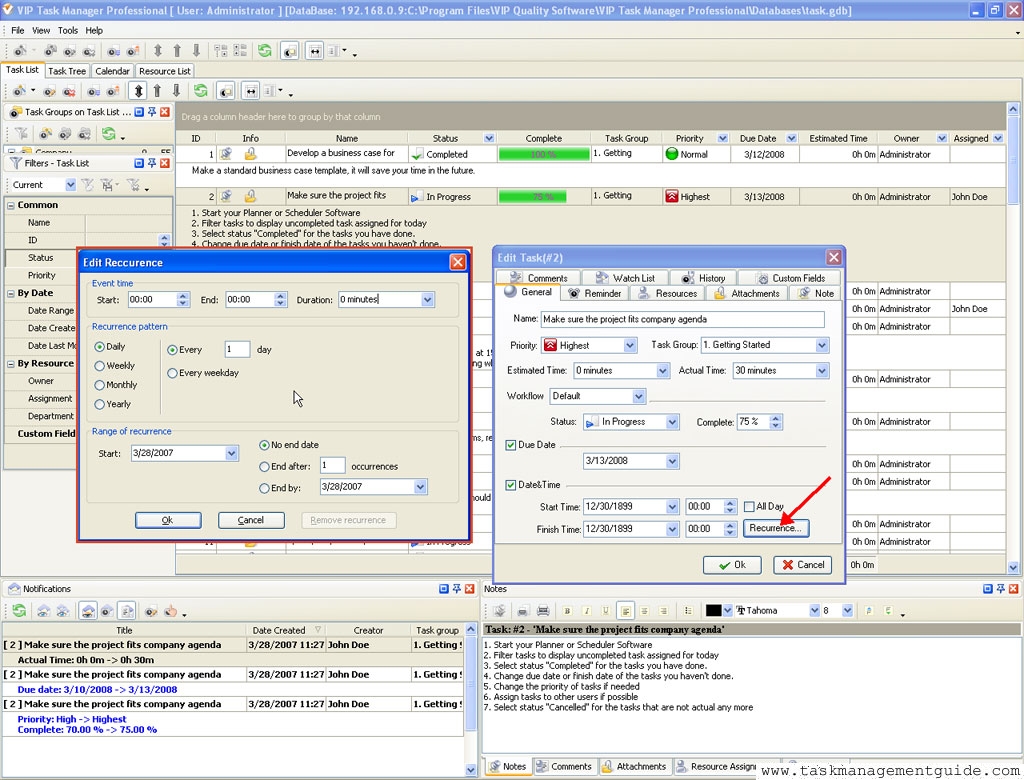

|
| |||
 |
|
 |
VIP Task Manager |



 home
home contact
 site map
 my account