


 home
home contact
 site map
 my account


Planning should be flexible
While planning your work you should find the golden mean: don't try to schedule the future too minutely when you create your weekly or monthly plans and at the same time don't let your plans run themselves. You should develop flexible system of moving the tasks from long-term schedule to a short-term one. For example, all long-term tasks may be assigned to task group "Year", short-term tasks may be kept in "Week" task group. By regular tracking of both task groups you will be able to transfer the tasks from one category to other in time.
"Flexible planning" To Do List
- Place all your long-term tasks into one task group "Year", short-term tasks assign to "Week" task group.
- When you create your daily plan, e.g. in the evening of the previous day, track "Week" task group and transfer the most actual tasks to your daily schedule.
- Once a week track "Year" task group and move the most significant tasks to "Week" category
- Use software to keep your tasks in the different categories and track these categories
Action plan
- Start your team management software
- Create two task groups "Week" and "Year" and assign your tasks to appropriate category
- Sort the tasks of "Week" task group every day and select the most important or urgent of them to accomplish this or next day
- Once a week sort the tasks of "Year" task group and select the tasks that should be accomplished in the nearest future
See also:
Make your daily plan in the morning after the tasks are completely defined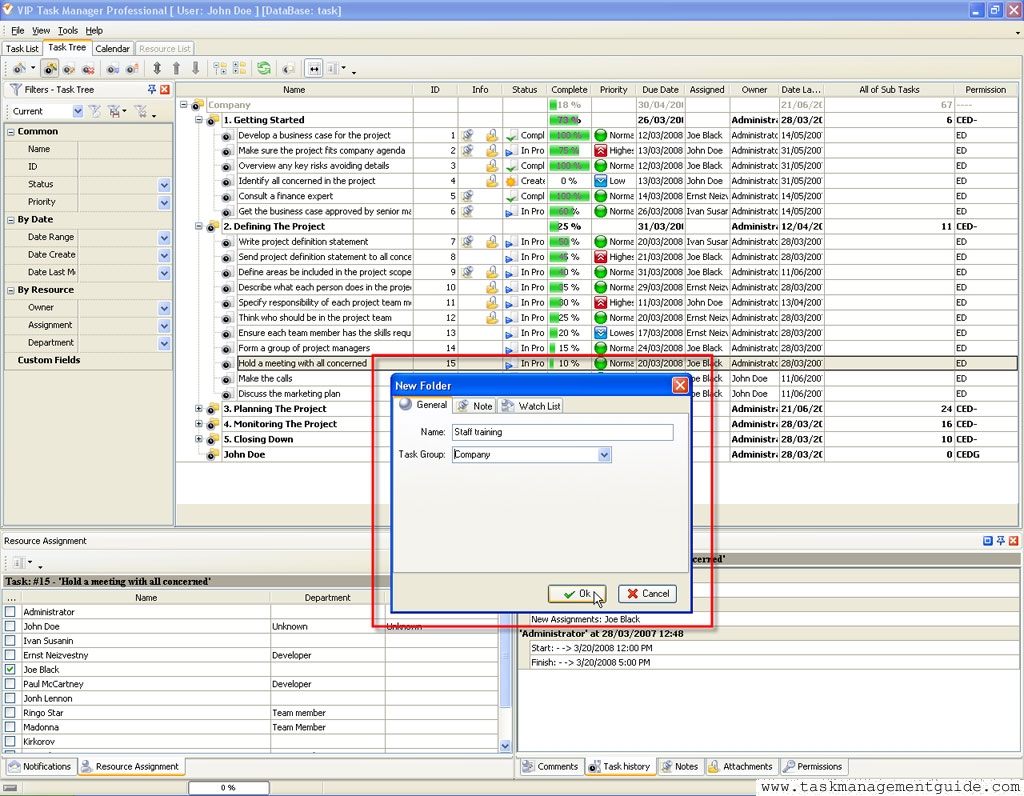

|
| |||
 |
|
 |
VIP Task Manager |



 home
home contact
 site map
 my account