


 home
home contact
 site map
 my account


You should realize how much time a new project will take
When you plan a new project, you should estimate how much time it will take. As each project consists of a great number of subprojects and subtasks, it's difficult to determine its estimated time at once. First, you need to set each task and define the time that it will take and only then you will be able to calculate project's total estimated time and to set your further working plans.
"Project estimated time" To Do List
- Start project setting from setting its tasks
- Estimate the time that each task can take
- Use software to calculate project estimated time
Action plan
- Start your task management software
- Create a new task group, e.g. "Project 1"
- Create its subgroups and tasks
- Enter tasks' estimated time
- At "Estimated time" field of "Project 1" task group you will estimated time total value
See also:
Attach additional documents directly to the task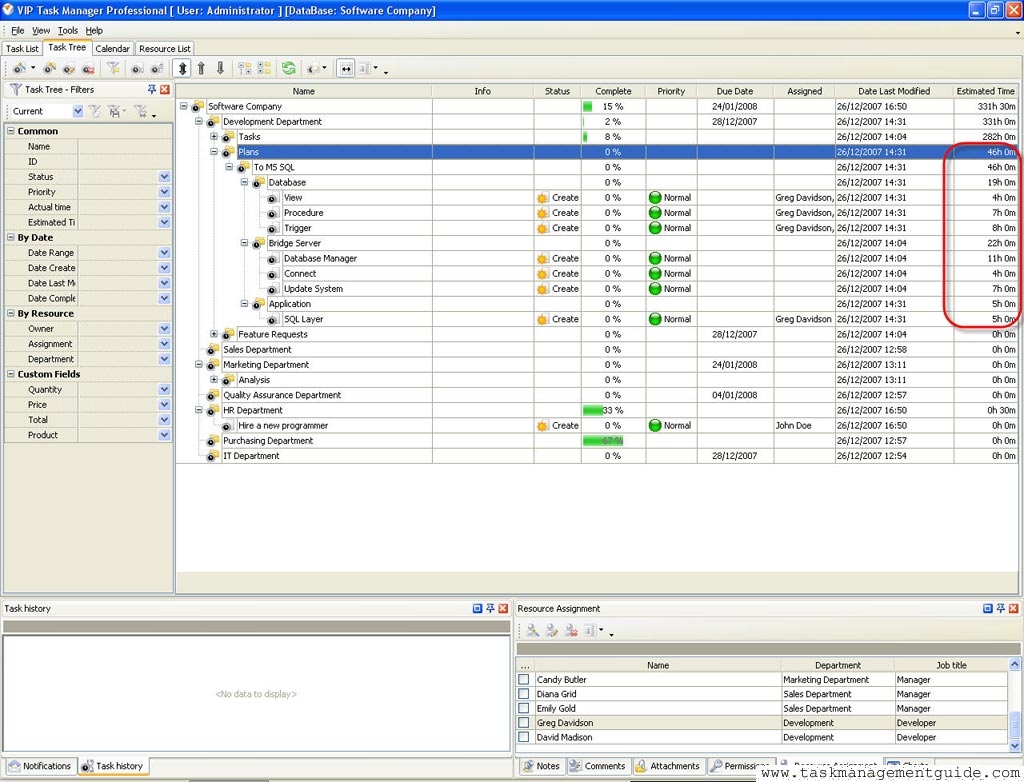

|
| |||
 |
|
 |
VIP Task Manager |



 home
home contact
 site map
 my account