


 home
home contact
 site map
 my account


Respect other people's time
When you plan the meeting, don't try to involve all your staff in it. Some of your team members are not connected with the subject of future discussion. They won't be of use and won't get anything important for themselves, but only postpone with their own tasks. You should respect your employees' time and avoid disturbing them in vain. First of all think who really should attend the meeting. Instead of wasting time on the meeting, other team members will be able to concentrate their attention on their tasks, avoid procrastinations and use their time more effectively.
"Meeting participants" To Do List
- When you plan the meeting, exactly determine its subject
- In accordance with meeting subject, select team members who are related to it and may be of use during the discussion
- Inform only required employees about the meeting
- Use software to create the task "Meeting", assign required employees to it and inform them
Action plan
- Start your task management software
- Create a new task, e.g. "Discuss marketing plan"
- Open tab "Resources" and assign the task to required employees
- Click "Ok"
See also:
Estimate the time that the task may take to properly plan your schedule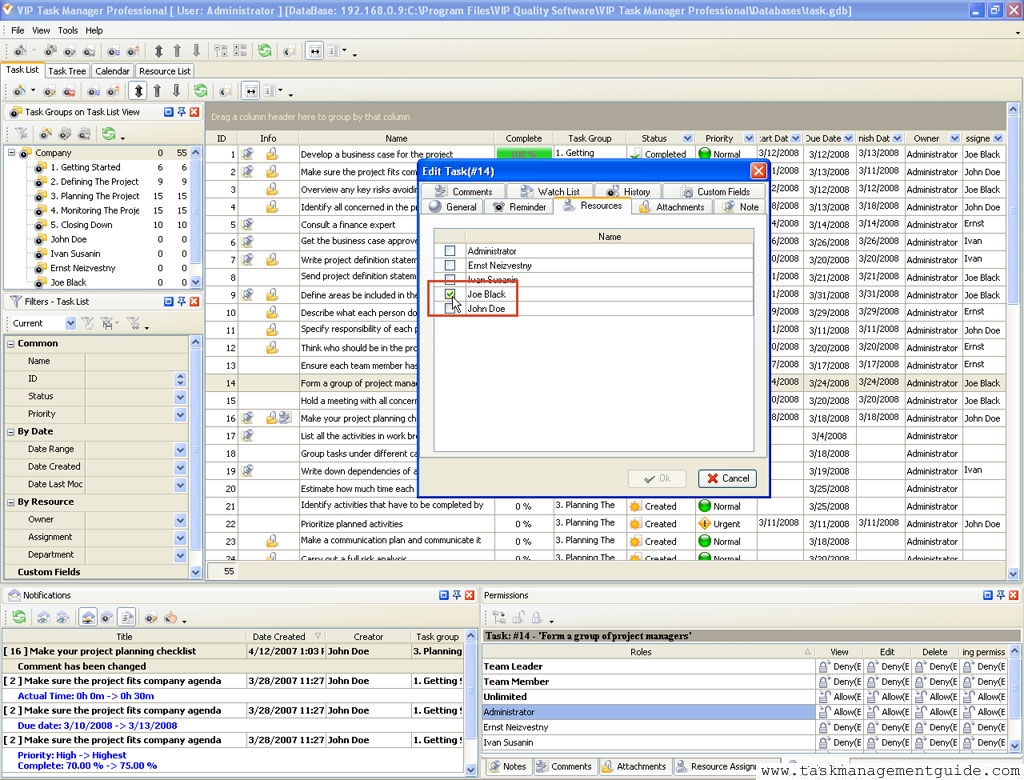

|
| |||
 |
|
 |
VIP Task Manager |



 home
home contact
 site map
 my account