


 home
home contact
 site map
 my account


|
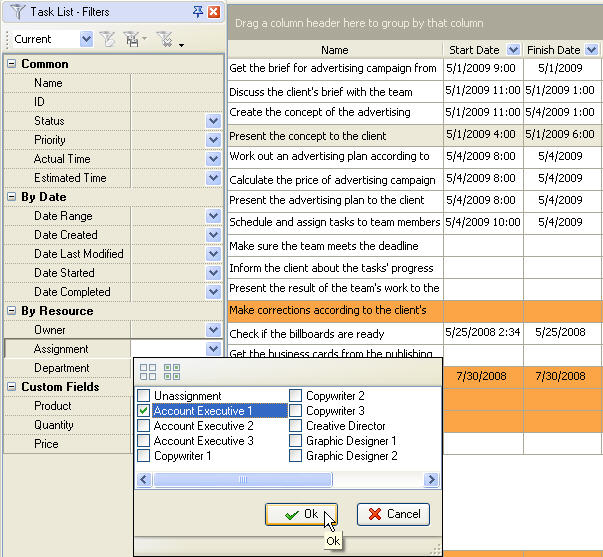
Top management of advertising agencies often want to know what their employees are doing. It is not an easy thing if employees' desktops are not turned the way everybody can see them :) . VIP Task Manager lets the department heads to set filter by any employee and see in real time what tasks they are working at, what is the progress of their tasks, if the tasks are procrastinated, etc. Moreover, the program allows to filter the company task list by any field user wants, by priority, by deadline, and so on. |
 |
|
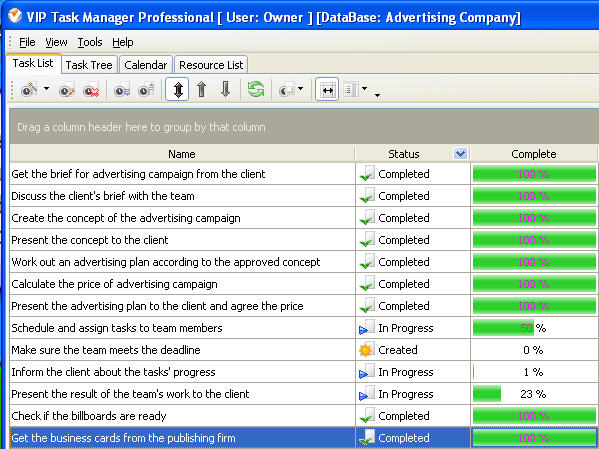 |
Users can track the progress of the advertising tasks in real time by the fields Status and Complete. Column status shows at what state the task is, for example, the task can be just added, in progress, cancelled, put on hold, completed, verified, etc. Column Complete shows the percentage of task completion, for instance, 10%, 25%, 53%, 100%. If user sort the task by Status or Complete columns he can see the tasks in ascending or descending order of their progress. |
|
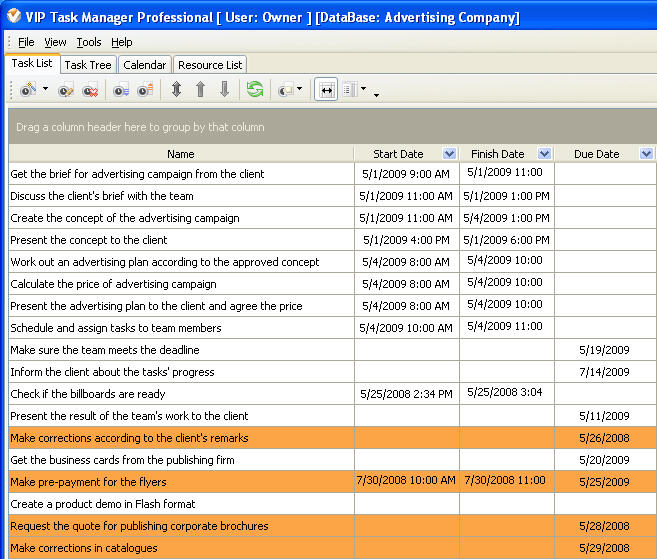
It is very important to know if anybody from the advertising agency staff can not complete his tasks on time, because it can delay the tasks of other team members and result in overdue project. If the task is planned to be done on certain date and at certain time, but assigned employee fails to finish it, VIP Task Manager marks such a task in orange. Both assigned employee and his supervisor will immediately notice this and make sure the task is taken care of. |
 |
|
|
||
|
| |||
 |
|
 |
VIP Task Manager |



 home
home contact
 site map
 my account