


 home
home contact
 site map
 my account


| Filters | ||
|
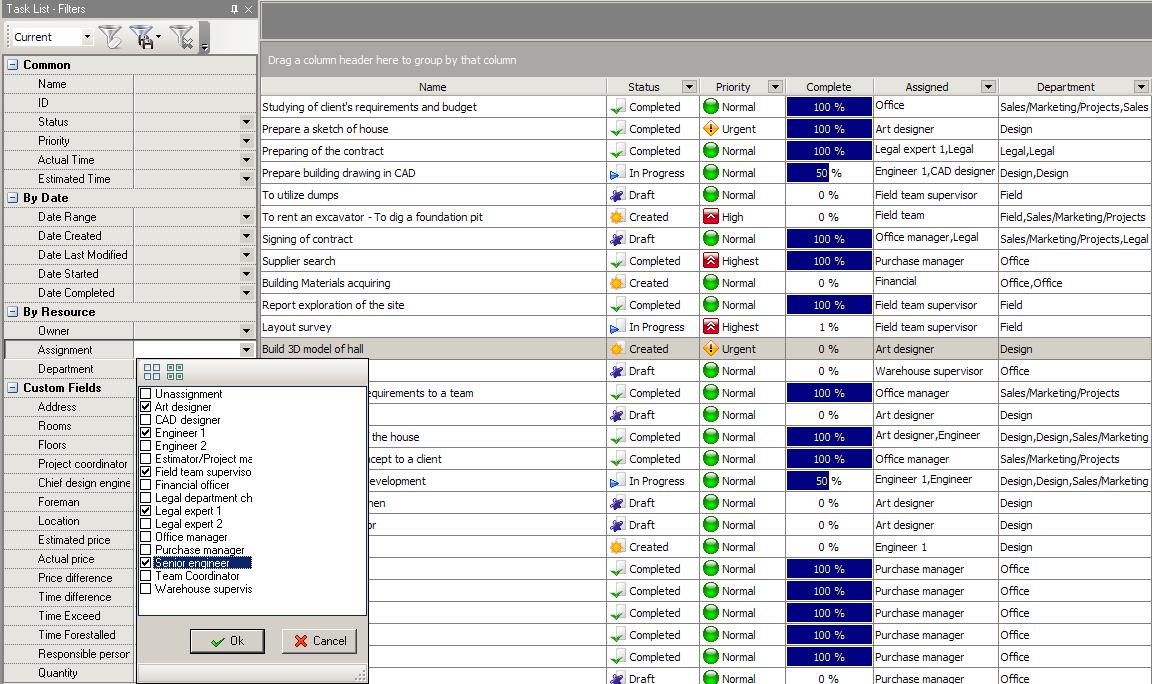
Tracking all tasks assigned to various employees in a building company is not an easy task for company management. It is important to know what tasks are currently executed by each employee, when and by whom these tasks were assigned, what progress employee reached at the moment, if some tasks are delayed, etc, thus it is necessary to filter big flow of various tasks by various attributes. VIP Task Manager has tool which helps users to view their tasks list, task tree and calendar in a convenient way – Filter panel. |
 |
|
| This tool is extremely useful for all users of VIP Task Manager (from team coordinator to each office employee), because it allows filtering the abundance of tasks by any attribute (by priority, by dates, by assignment, by status and so on). |
||
| Status | ||
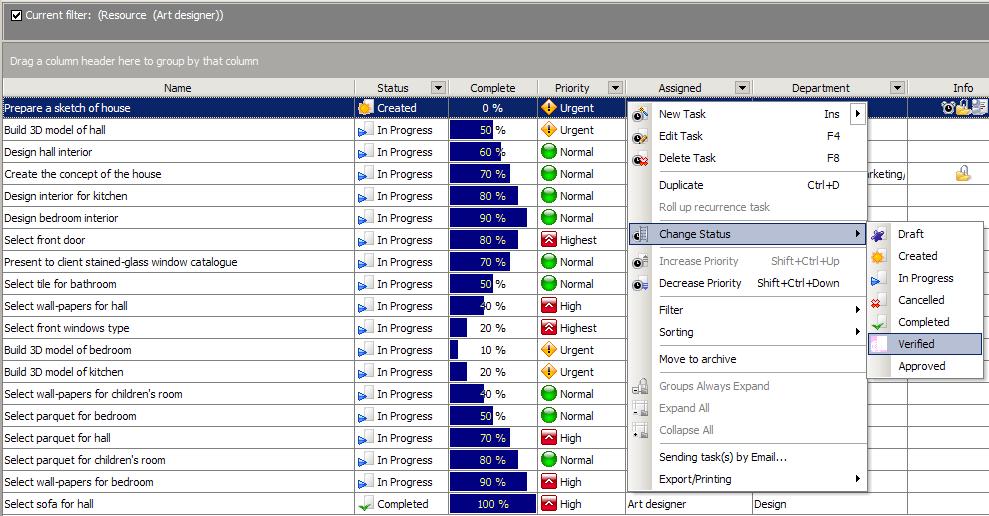 |
Status is one of the most significant attributes of any task in a building company. Status allows tracking tasks by current condition to be immediately aware if task is Complete, Created, Cancelled, etc. Another important attribute is the 'Complete' (percent of completeness) that defines task performance. It can be status-related, for example 100% completeness of a task corresponds to status Complete. Different percents of completeness can correspond to different statuses (these settings can be customized according to company needs). Users of VIP Tasks Manager can easily filter and group their tasks by these indicators to be sure that work makes proper progress. |
|
| Overdue tasks | ||
|
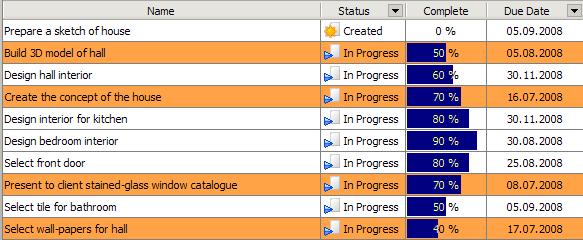
Some tasks can exceed the dead line or finish date (if task was not completed in time). Such tasks should attract immediate attention of a building company management or employee who was assigned to do that task, because failure of one task may frustrate whole construction project. VIP Task Manager highlights procrastinated tasks by orange color, so it can be quickly and easily noticed and team members will be able to take measures.
|
 |
|
|
||
|
| |||
 |
|
 |
VIP Task Manager |



 home
home contact
 site map
 my account