


 home
home contact
 site map
 my account


For any company that constantly cares for efficiency and productivity of its employees, task reporting is a natural process. Your media company also needs to gather valuable information on media workflows and projects in order to conduct task analysis, reveal imbalance in workflows and find ways for improvement. Task reporting will allow you optimizing workflows and sustaining a seamless flow of information required for task analysis and project tracking. | ||
 |
VIP Task Manager will provide your media company staff with task reporting tools to analyze media workflows and to monitor task statuses. The software allows building the following task reports:
|
|
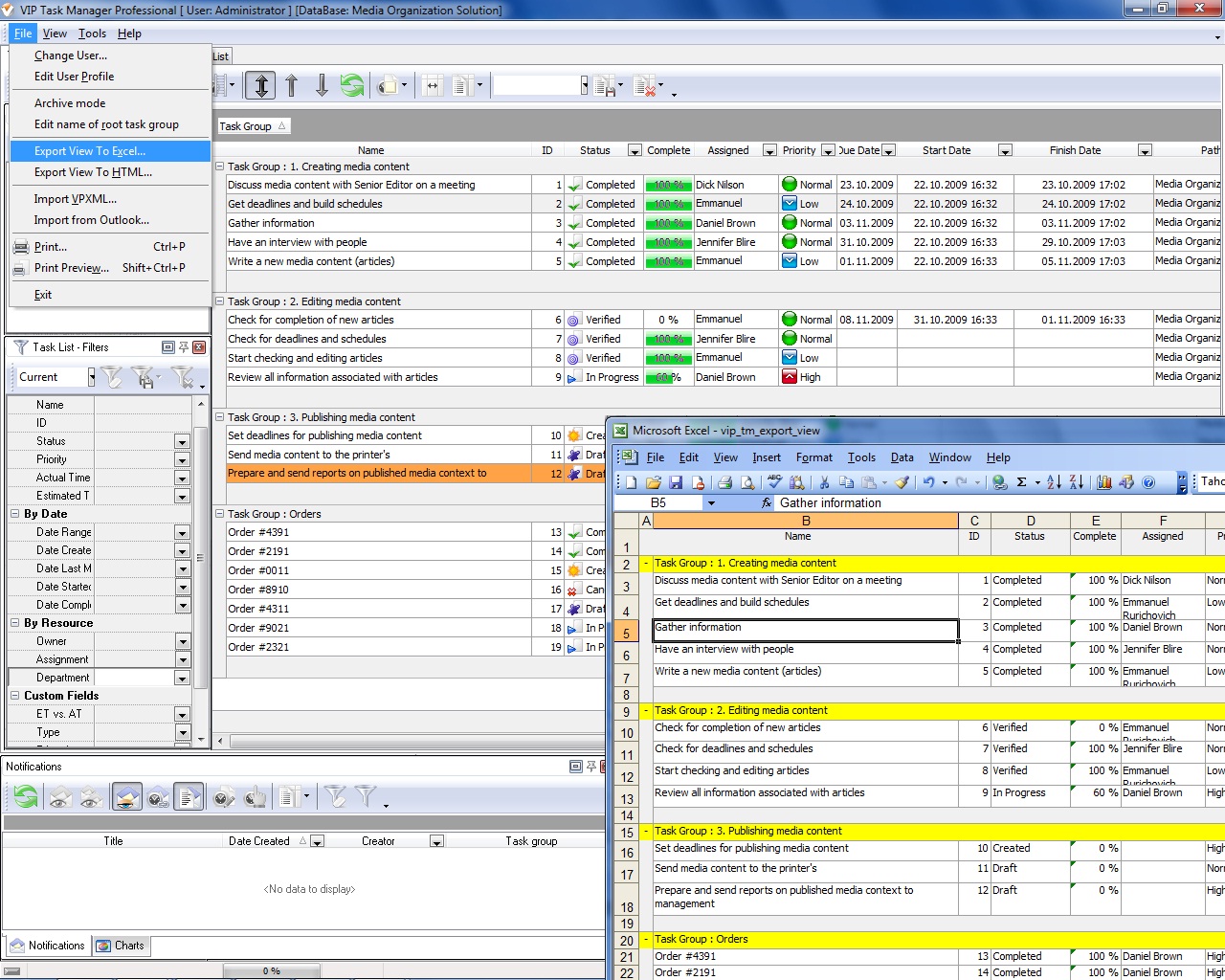
Depending on what information for analysis is needed in the form of reports, staff members of your media organization will choose one or another kind of the listed reports. For example, if senior editor from Publishing Department needs to analyze media publishing workflow and find out how editors and journalists do their tasks, he can use quick reports in MS Excel format. Such a report can be created by exporting task list view into MS Excel file. Reports in Excel format are flexible enough as they allow choosing which task columns (e.g. Status, Name, Assignment, ID, Due date, Complete, etc.) are to be included in Excel files. Besides, reports in Excel format will let senior editor perform calculations by using Excel functionality. | ||
|
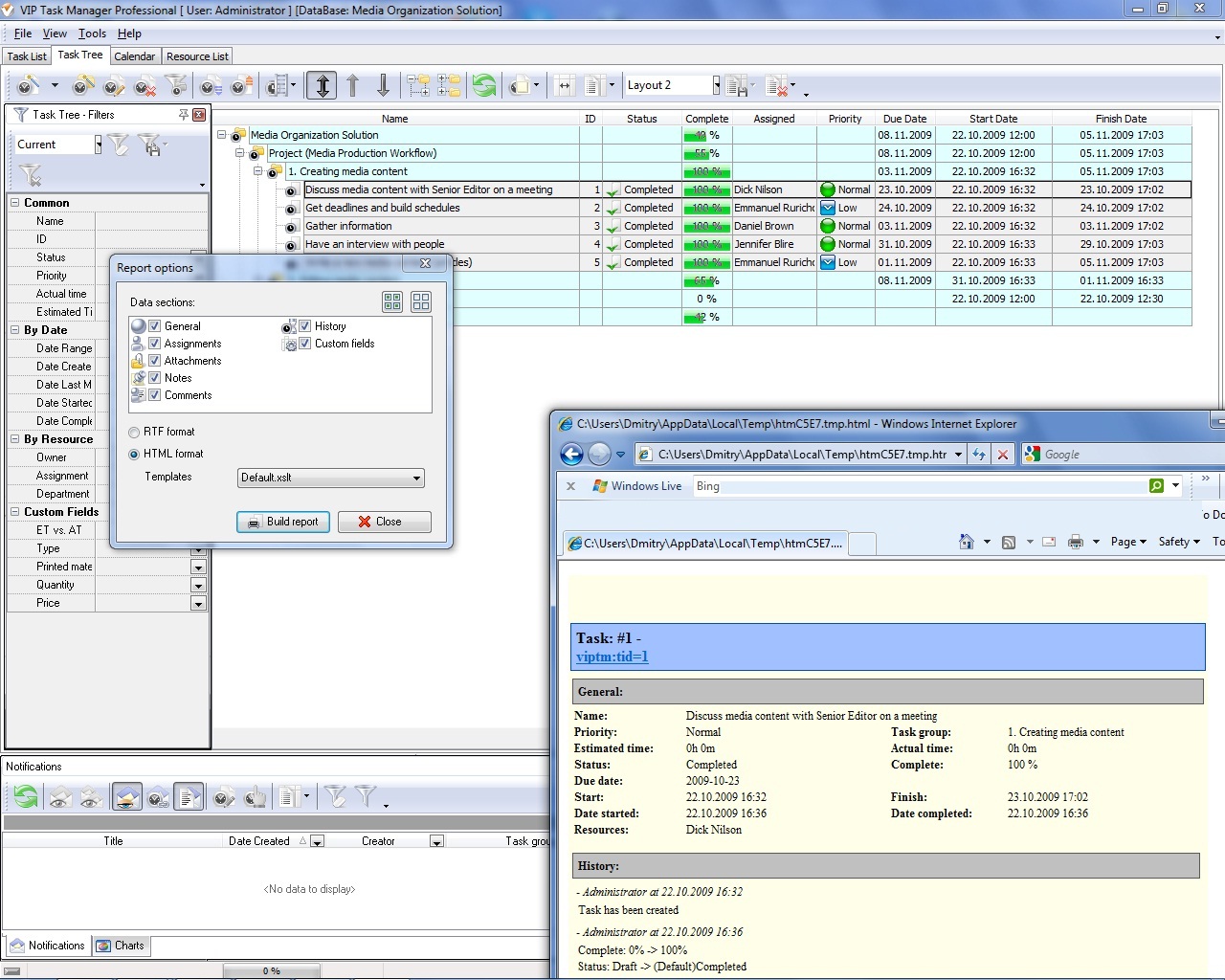
If senior editor needs to conduct a complete analysis of media publishing workflow, he can use Text and HTML reports. These reports show full information on chosen tasks. You can open HTML reports in any internet browser. A typical Text/HTML report includes the following information on tasks:
|  |
|
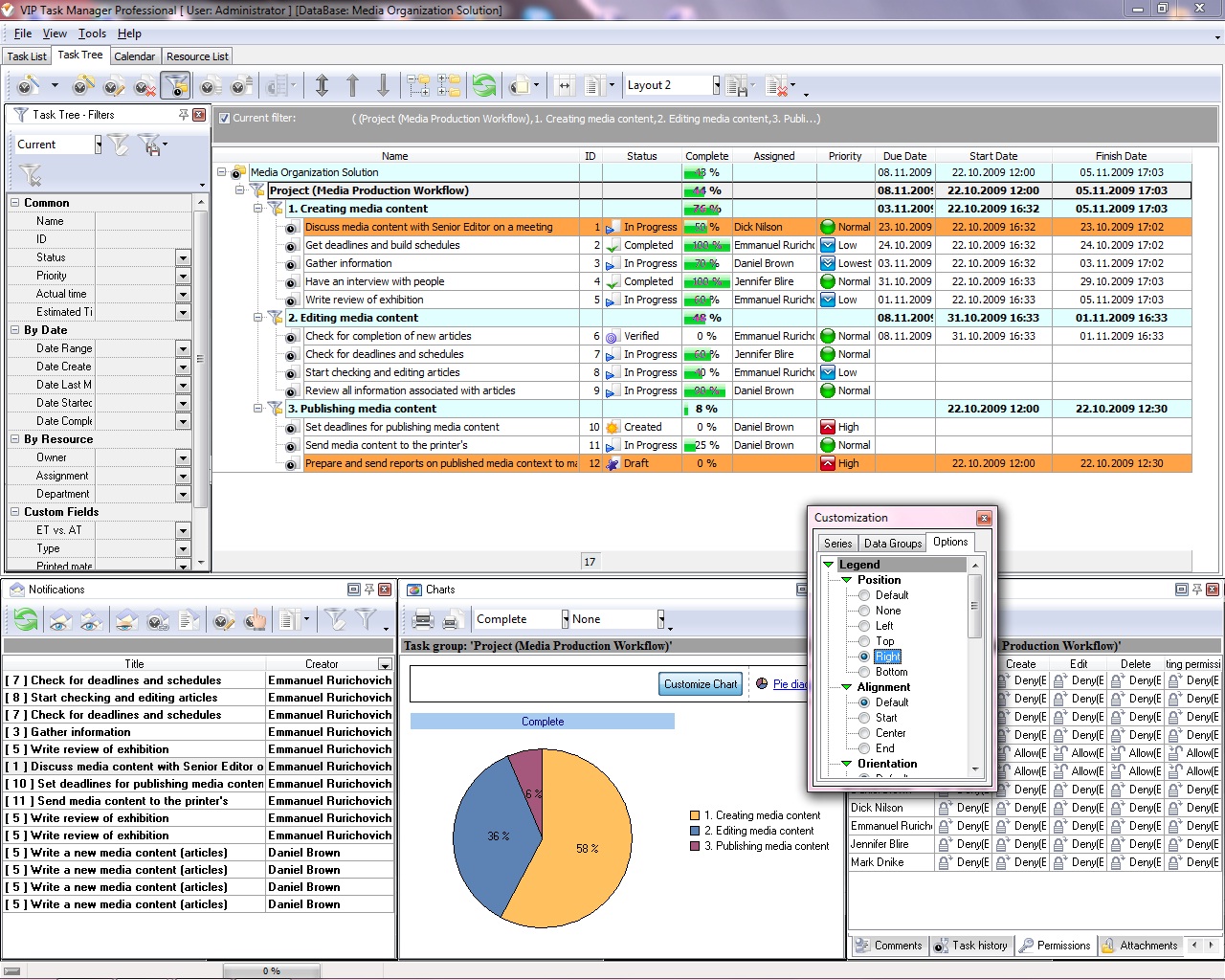 |
Besides quick reports in MS Excel format and HTML reports, senior editor can also build graph reports. Such reports display tasks in graph view by means Charts Panel that has five diagrams, including Pie Diagram, Line Diagram, Area Diagram, Column Diagram and Bar Diagram. Graph reports are convenient to track completion of tasks in media workflows. For example, senior editor can track common progress of media publishing workflow by using Pie Diagram. Charts Panel will visualize this workflow and show completeness of its stages. |
|
|
||
|
| |||
 |
|
 |
VIP Task Manager |



 home
home contact
 site map
 my account