Task Management Software


New Articles New Articles RSS feed subscribe
 
Setting Dependencies between Sub-projects
Sub-projects are smaller, interrelated projects that compose larger projects. If sub-projects belong to one and the same project or programme, they are dependent upon each other in some way. Setting Dependencies between Sub-projects


New Checklists News RSS feed subscribe
 
Company Expenses Action Plan

Read this Company Expenses Action Plan to find out what kinds of expenses your small company is likely to generate.

Company Expenses Action Plan


Home » Solutions » Software development
Step 1. Using software development company application  

Step 1. Using software development company application


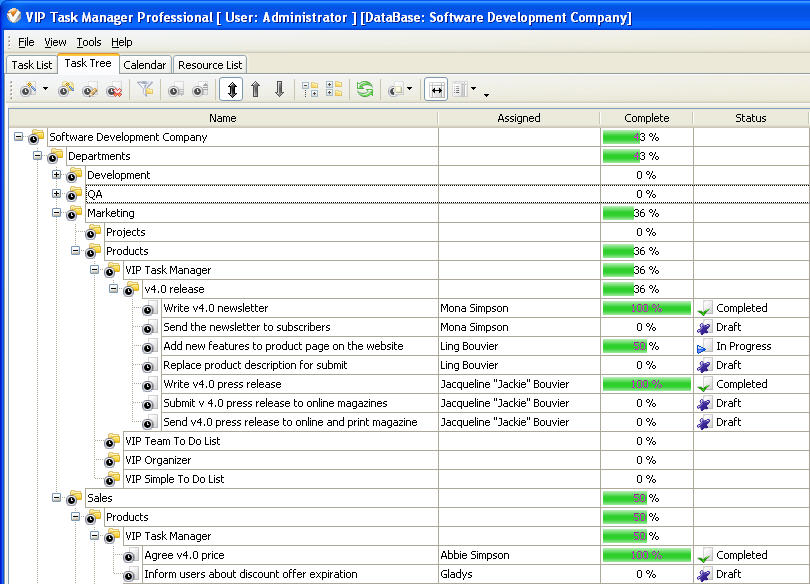
CEO and department heads of software development company would prefer to use Task Tree view to plan and track tasks of their staff because this view allows to:

  • See the hierarchy of tasks and their task groups
  • Plan tasks and projects by templates in one click
  • Deny or allow certain users to see certain tasks
  • Create real time reports in graphic format

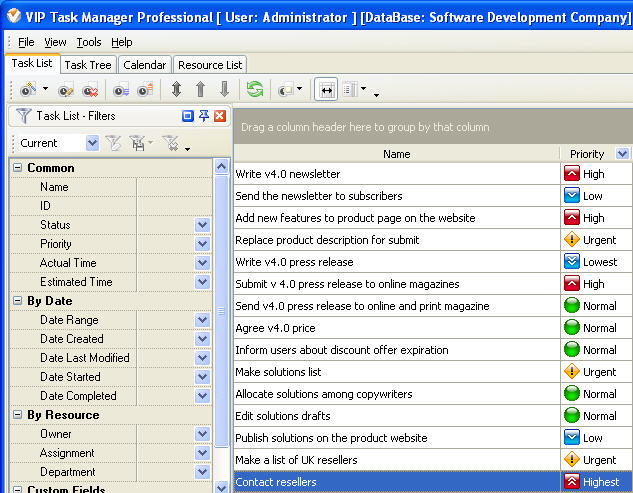
Specialists from various departments like developers, testers, copywriters, web designers, etc. would prefer to use Task List view to see what they should do and to report the progress, because this view allows:

  • See the list of tasks sorted by priority or due dates
  • Show tasks assigned to particular user only
  • Get immediate notifications of new tasks
  • Attach the results of user's work directly to the task

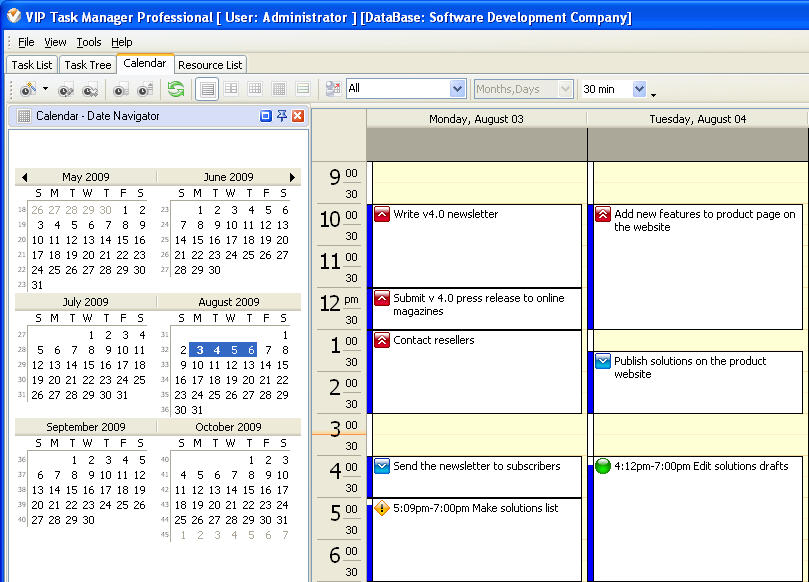
Sales managers or account managers who work with clients would prefer to use Calendar view to schedule their tasks, because this view allows to:

  • See the tasks on day, week or month calendar
  • Schedule tasks by simple drag & drop method
  • Filter calendar to show only tasks related to their clients
  • Get reminders of tasks related to their clients

VIP Task Manager
Task management software
for teams & small offices
Play Demo / Download

CentriQS
Business management software
for small & midsize enterprises

Play Demo / Download


home contact site map my account


Copyright © 2004 - 2012 VIP Quality Software, Ltd. All Rights Reserved.