


 home
home contact
 site map
 my account


|
VIP Task Manager allows making printable and exportable reports in order to analyze state of HR team tasks HR-company management is able to analyze team work performance with a help of printable charts. For this purpose VIP Task Manager provides users with possibility to use convenient and flexible filter panel to customize viewing of tasks within Task List, Task Tree and Scheduler (Calendar). | 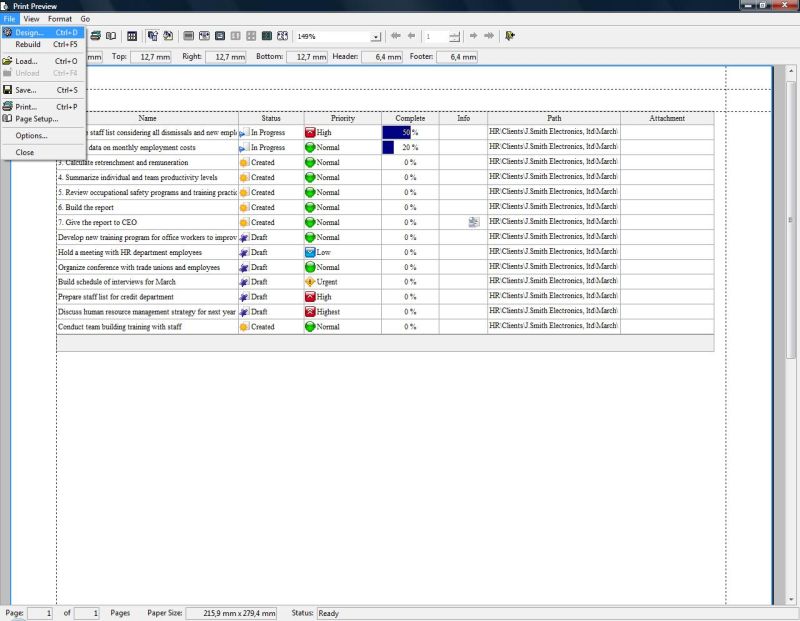 | |
Reports are the "snap-shots" of the state of HR-team tasks performance which can be stored on hard-drive, printed out and posted on company web-site. Reports can be used for issue tracking, performance analysis and tendencies defining. For example they can be used for analyzing of HR-database - manager can print out list of registered persons with certain education, age, professional skills etc. or to make picture of progress each week to be sure that certain HR project is moving according to plan. VIP Task Manager allows HR company specialists to:
|
||
| VIP Task Manager is task tracking groupware that allows viewing each task's history As VIP Task Manager is an effective task management groupware it records the history of each task and allows users to view it in order to know what user made changes, when and what changes applied to task. | 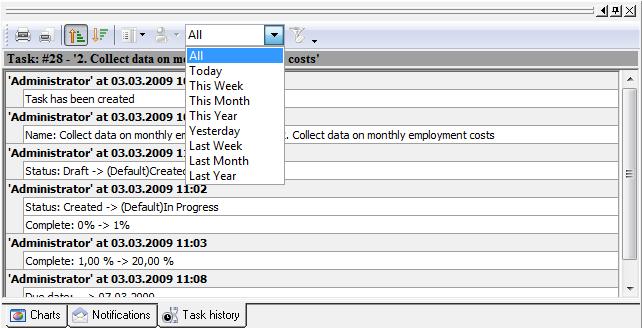 |
|
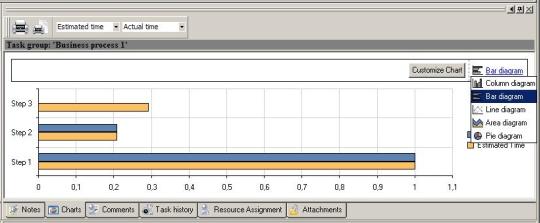
VIP Task Manager is a team task management groupware that allows visualizing reports For convenience of team tasks analysis VIP Task Manager features charts. When it is required to compare certain HR task attributes (for example estimated task duration vs. actual task duration) the best method to do this is to use column or bar diagram. |
||
When it is required to assess the share of certain numeric task attribute value among other tasks (for example to know what percent the costs of each task take within total amount of all project tasks) the natural method is to use Pie diagram. VIP Task Manager features the following types of charts that can be useful within HR company work performance: |
 |
|
|
  Play Demo Play Demo
|
|
| ||
|
| |||
 |
|
 |
VIP Task Manager |



 home
home contact
 site map
 my account